Step 5
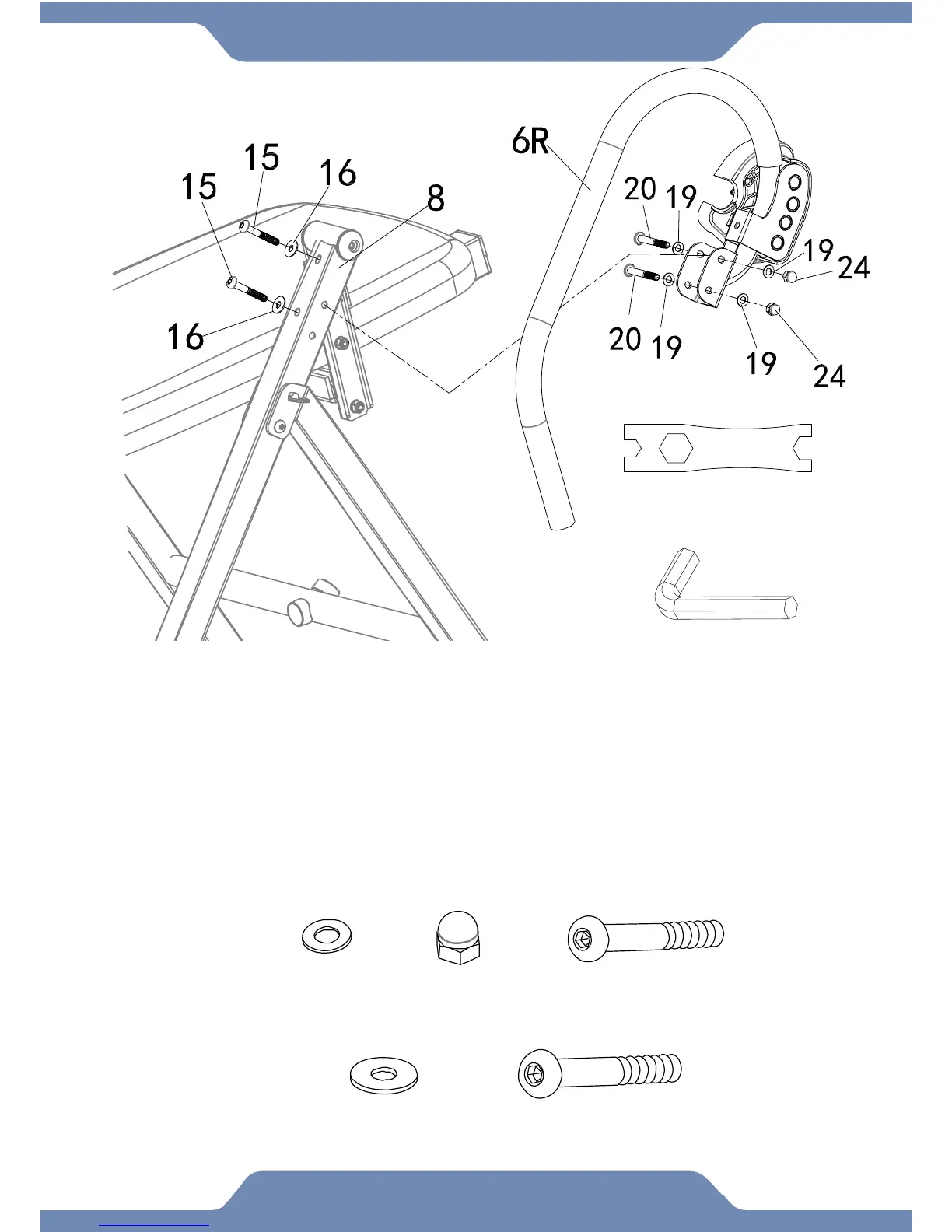
Installing the Right Handlebar:
5A. Install the Right Handlebar (6R) onto the right side of the Rear Frame (8) with two Socket
Hex Bolts (20), four Flat Washers (19), and two Cap Nuts (24).
NOTE: The Cap Nuts (24) should be installed on the outward facing side of the frame.
5B. Install two Flat Washers (16) and two Socket Head Bolts (15) from the rear of the back
side of the Rear Frame (8) and into the Right Handlebar (6R).
5C. Tighten the hardware using the 6mm Allen wrench and the 10, 13, 17 mm Wrench
provided.


 To Next Page