Step 6
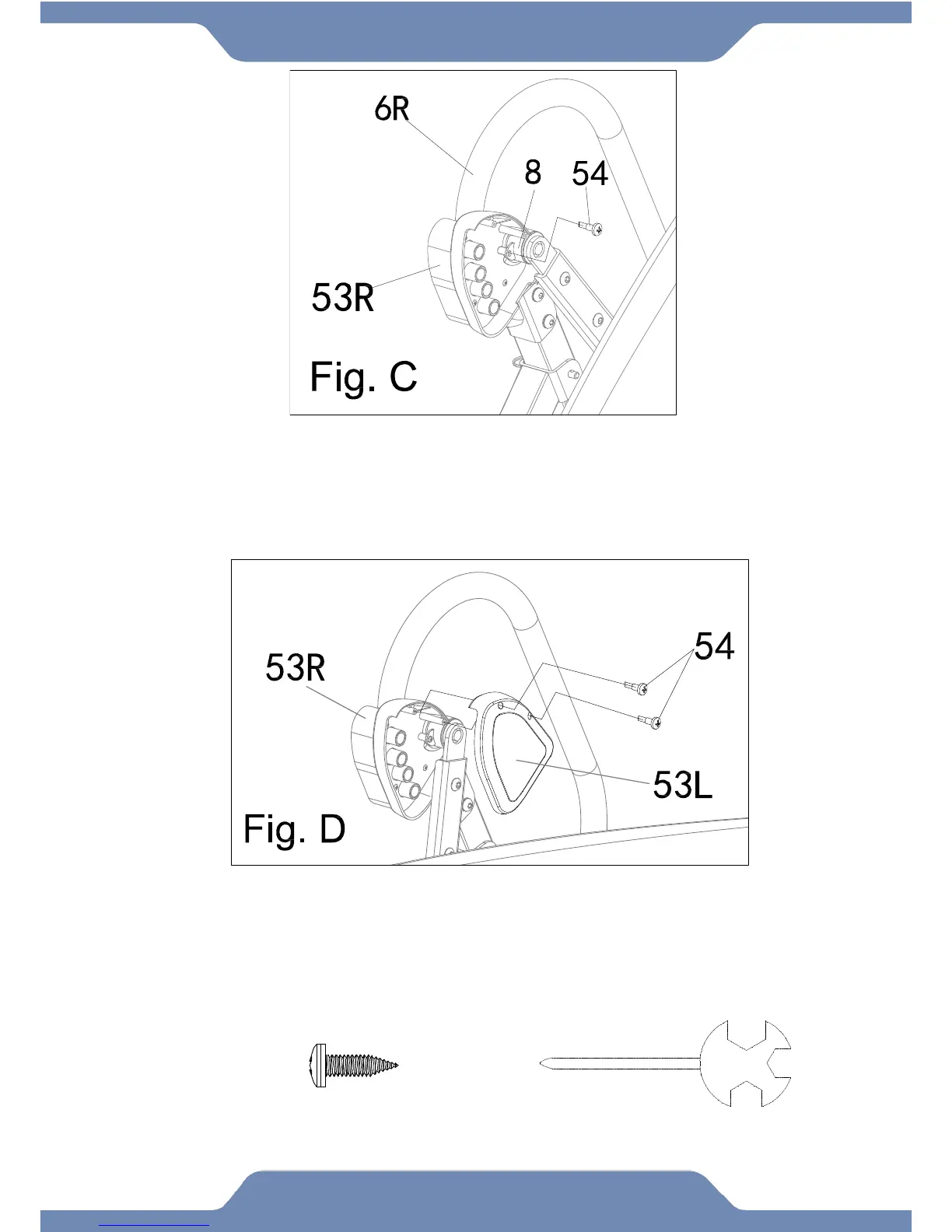
Installing the Right Handlebar Cover:
6A. Attach the Right Handlebar Cover (53R) onto the tab on the Rear Frame (8) with one
Self-Tapping Phillips Screw (54). Tighten the screw with the Multi-Hex Tool with Phillips
Screwdriver provided. See Fig. C.
Installing the Left Handlebar Cover:
6B. Attach the Left Handlebar Cover (53L) to the Right Handlebar Cover (53R) with two
Self-Tapping Phillips Screws (54). Tighten the screw with the Multi-Hex Tool with Phillips
Screwdriver provided. See Fig. D.


 To Next Page