22
OPERATIONS & ADJUSTMENTS
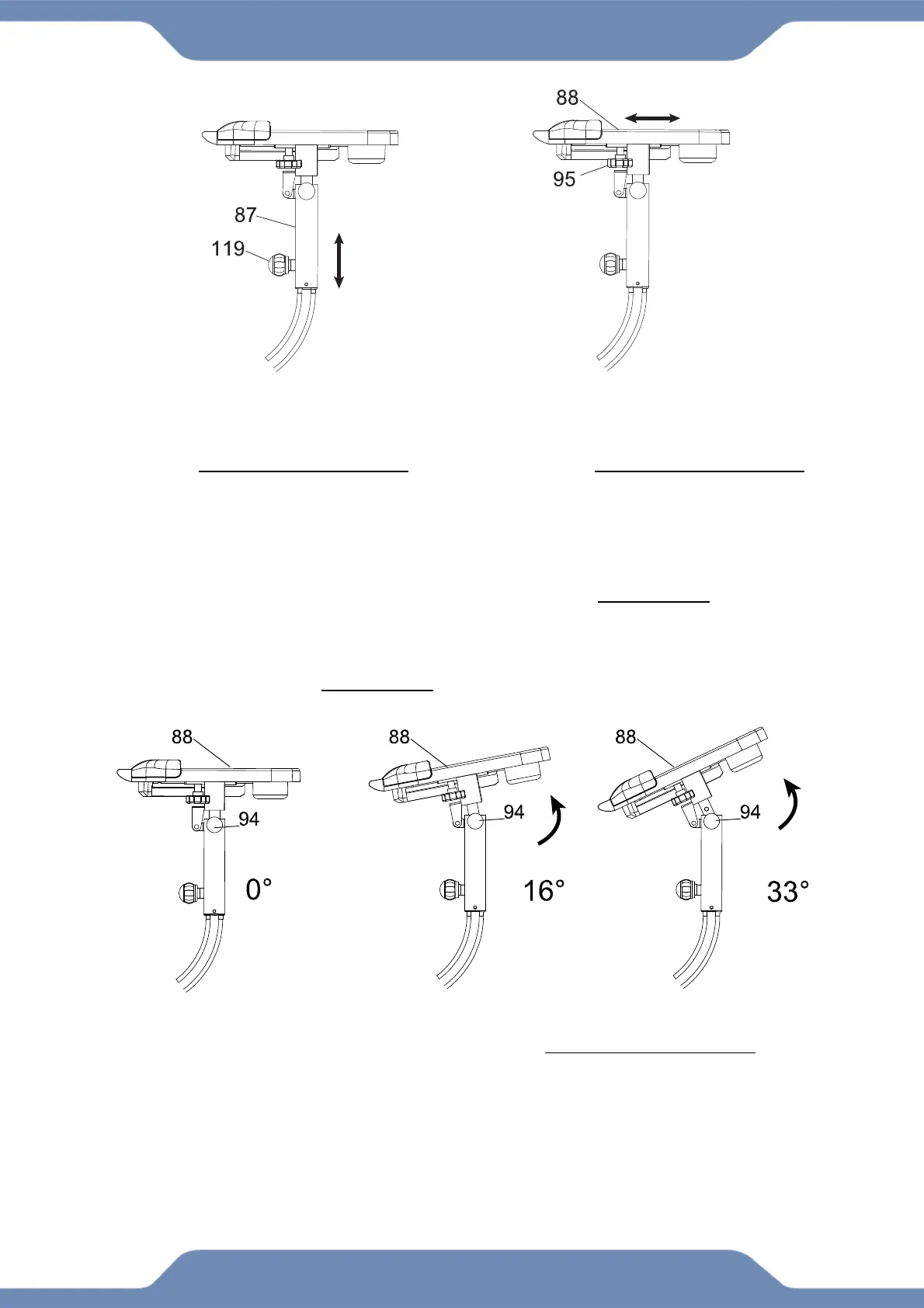
ADJUSTING THE DESK ANGLE
1. Loosen the Desk Angle Knob (94) by turning it in a COUNTER-CLOCKWISE direction.
2. Pull the Desk Angle Knob (94) out to disengage the pin.
3. Tilt the Desk (88) to one of the three available positions shown above.
4. Release the Desk Angle Knob (94) to allow the pin to catch an angle position hole,
and then turn the Desk Angle Knob (94) clockwise to tighten.
WARNING: Clear the Desk (88) top prior to repositioning it.
ADJUSTING THE DESK HEIGHT
1. Loosen the Long Adjustment Knob (119)
by turning it COUNTER-CLOCKWISE.
2. Pull the Desk Height Knob (119) to
disengage the pin.
3. Shift the Desk Mount (87) up or down to
the desired position.
4. Release the Desk Height Knob (119) to
allow the pin to catch, and then turn the
Desk Height Knob (119) CLOCKWISE to
tighten.
ADJUSTING THE DESK RANGE
1. Loosen the Desk Slide Knob (95) by
turning it COUNTER-CLOCKWISE.
2. Shift the Desk (88) forward or
backwards to the desired position.
3. Tighten the Desk Slide Knob (95) by
turning it CLOCKWISE to lock the Desk
(88) in place.



 To Next Page