5. Start playback on theexternal device. Setthedesired
volume levels both on your external device and
thespeaker. Control theother playback settings on
theexternal device and on thespeaker.
Note: Ifyou are prompted to enter aPIN code on your
device, you should enter 0000 (four zeroes). Certain
devices may also require you to approve theconnection.
6. Thespeaker will re-connect automatically with thedevice
with which it was last paired when it has been switched
back on again and theBluetooth function is activated.
Handsfree
• If you have connected amobile phone to thespeaker via
Bluetooth and receive acall whilst you are listening to
music, thespeaker will emit aring signal and themusic
will be switched off automatically. Oncethecall has been
ended, music playback will be resumed (if your phone
settings enable this).
• Press [
] if you want to use thehandsfree function for
yourcall.
AUX IN
• Thespeaker is equipped with a3.5 mm AUX IN socket
for connecting anexternal audio device of your choice.
AnyBluetooth connection is automatically switched off
once anexternal device is connected to the3.5 mm
AUXIN socket.
• Theplayback of theexternal device connected to
theAUX IN socket cannot be controlled from thespeaker.
Theplayback can only be controlled using thecontrols on
theexternal device itself.
Care and maintenance
• Wipe thespeaker clean with adry cloth as and when
required.
• Fully charge thespeaker battery every third month if it is
not to be used for alongtime.
• Store thespeaker in adry location when it is not inuse.
• Thebuilt-in speaker battery cannot be replaced.
Troubleshooting guide
TheBluetooth
speaker will not
switchon.
Thebattery might beflat. Recharge
thebattery.
No sound from
theexternal
device
connected via
Bluetooth.
• Check both thevolume and that
play/pause has been activated on
thedevice.
• Make sure that aBluetooth
connection has been properly
established.
• Test theplayback of thefile on
thedevice itself before connecting
it to thespeaker.
• Try playback using anotherfile.
Thefile you are attempting to play
may be damaged.
• Make sure that no other wireless
devices are disrupting thecurrent
Bluetooth connection.
No sound from
theexternal
device
connected via
the3.5mm
AUXIN socket.
• Check thevolume and that play/
pause has been activated on
thedevice.
• Check that thecable connecting
thedevice and thespeaker
is undamaged and securely
connected.
• Test theplayback of thefile on
thedevice itself before connecting
it to thespeaker.
• Try playback using anotherfile.
Thefile you are attempting to play
may be damaged.
Disposal
This product should be disposed of in accordance with local
regulations. Ifyou are unsure how to proceed, contact your
local council.
Specifications
Chargingtime 3.5 hours
Bluetooth range 10m
Speaker 2×2W
Charging input USB, 5 V DC
Operating temperature 0–35ºC
Size W×D×H 7×7×16cm
Weight 0.32kg
Declaration of Conformity
Hereby, Clas Ohlson AB, declares that following product(s):
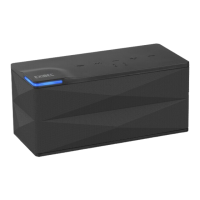
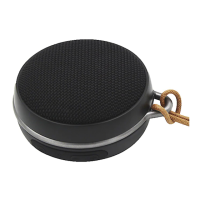
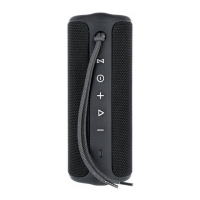
Wireless Loudspeaker
38-6248, 38-6249
BX50/BL1607
is in compliance with theessential requirements and other relevant provisions
of Directive 1999/5/EC and 2006/95/EC.
Article 3.1a (Health): EN 62479
Article 3.1a (Safety): EN 60065
Article 3.1b (EMC): EN 301489-1
EN 301489-17
Article 3.2 (Radio): EN 300328
0890
Insjön, Sweden, April 2014
Klas Balkow
President
Clas Ohlson, 793 85 Insjön, Sweden


 To Next Page