EasyManua.ls Logo

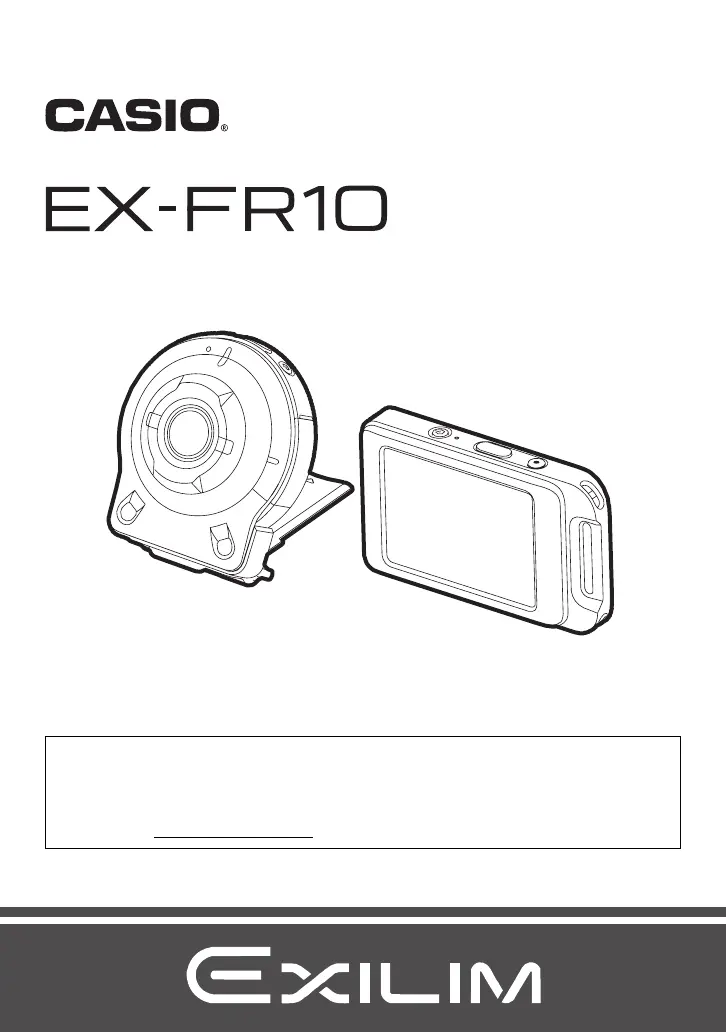
Exilim Casio EX-FR10 - User Manual

Exilim Casio EX-FR10
113 pages
Print Icon
To Next Page IconTo Next Page
Loading...
Digital Camera
EN
User’s Guide
Thank you for purchasing this CASIO product.
Before using it, be sure to read the precautions contained in this User’s Guide.
Keep the User’s Guide in a safe place for future reference.
For the most up-to-date information about this product, visit the official EXILIM
Website at http://www.exilim.com/

Table of Contents

Questions and Answers

Summary

Accessories

Read this first!

LCD Panel Characteristics

Explains the characteristics of the liquid crystal panel and pixel yield.

Test Shot Recommendation

Advises shooting a test shot to ensure the camera records correctly before final shooting.

General Guide

Camera Parts Identification

Identifies and explains the various parts of the camera unit.

Controller Parts Identification

Identifies and explains the various parts of the controller unit.

Monitor Screen Contents and How to Change Them

Snapshot and Movie Recording Indicators

Details indicators and icons displayed during snapshot and movie recording.

Quick Start Basics

Shooting Functions Overview

Introduces core shooting features like varied styles, interval, and art shots.

Viewing and Sharing Functions

Covers highlight photos, movies, and wireless LAN sharing capabilities.

Using the Attachment

Controller Attachment and Detachment

Provides steps for connecting and disconnecting the camera controller.

Hinge Unit Functions

Explains using the hinge unit as a stand and changing shooting direction.

Lens Hood and Tripod Nut

Details how to attach a lens hood and secure a tripod using the nut.

Strap Attachment

Covers attaching neck and carabiner straps to the camera or controller.

Using the Touch Panel

Touch Screen Operations

Explains touch, flick, spread, and squeeze gestures for camera control.

Charging the Battery

Charging with USB-AC Adapter

Describes the process of charging batteries using the AC adapter.

Charging via USB to Computer

Details how to charge batteries by connecting to a computer via USB.

Turning Power On and Off

Camera and Controller Power Management

Explains how to turn the camera and controller on, off, and manage sleep mode.

Toggling Between REC and PLAY Modes

Switching Recording and Playback Modes

Guides on how to switch between recording and playback modes on the screen.

Camera-Controller Wireless Connection

Bluetooth Pairing and Connection

Explains establishing a Bluetooth connection between camera and controller.

Initial Camera Setup

Details the first-time setup for display language, date, and time.

Preparing a Memory Card

Supported Memory Card Types

Lists supported microSD, microSDHC, and microSDXC memory card types.

Loading and Replacing Memory Cards

Loading a Memory Card

Step-by-step guide on inserting a memory card into the camera.

Formatting a Memory Card

Initializing Memory Card

Explains the procedure to format (initialize) a new memory card on the camera.

Recording Images

REC Mode Screen Overview

Explains the main and home screen interfaces in REC mode.

Interval Snapshot

Starting and Stopping Interval Snapshot Operations

Guides on starting and terminating interval shooting.

Self-shooting (Mirror)

Using Mirror Image for Self-Shots

Explains how to display a mirror image for composing self-portraits.

Changing the Recording Mode

Selecting ART SHOT Scenes

Guides on choosing different artistic shooting modes for photos.

Using the Self-timer

Setting Up Automatic Self-Timer Shots

Details how to configure the camera for automatic shots after a delay.

Shooting with Zoom

Adjusting Zoom Level and Taking Photos

Explains how to use digital zoom and take pictures.

Recording a Movie

Setting Max Recording Time and Starting Movie

Guides on setting movie duration and starting recording.

Advanced Recording Settings

Navigating the Menu System

Explains how to access and operate camera menu settings.

Key Recording Settings

Covers Make-up, Touch Shutter, Image Size, EV Shift, White Balance, Auto Rotate.

Viewing Snapshots and Movies

Play Mode Screen Overview

Describes the main and home screens in PLAY mode.

Viewing Snapshots

Instructions for viewing individual still images and navigating through them.

Movie Playback and Deletion

How to view movies and delete files.

Image Viewing Operations

Explains zooming and deleting all files.

Connecting the Camera with a Smartphone (Wireless LAN)

Remote Camera Control and Image Transfer

Overview of controlling camera remotely and sending images.

App Installation and Wi-Fi Configuration

Guides on app installation and Wi-Fi setup.

Using Smartphone as Remote Controller

Instructions for shooting remotely with zoom, self-timer, and other functions.

Changing Camera SSID and Password

How to change the camera's wireless network name and password.

Other Settings (Set Up)

Sound, Vibration, and Flick Start Settings

Configuration for sound, vibration, and controller startup.

Clock, Date Style, and Language Settings

Adjusting time, date format, and display language.

Memory Formatting and Resetting Defaults

Guides on memory formatting and restoring factory settings.

Printing Your Photos

Printing Options Overview

Information on using print services, home printers, and computers.

Using the Camera with a Computer

Connecting Camera to Computer and Saving Images

Guides for transferring images via USB on Windows and Mac.

Playing Movies on Computer

Guides for playing recorded movies on a computer.

Files and Folders Structure

File and Folder Naming Conventions

Explains how files and folders are named and organized.

Appendix

Safety Precautions Overview

Introduces safety symbols and general warnings for using the device.

Shock, Waterproof, and Dustproof Features

Details the camera's resistance to shock, water, and dust.

Precautions During Use

Covers data errors, operating environment, and condensation.

Camera Care and Data Handling

Lens care, cleaning, and data deletion for disposal.

Wireless Function Precautions

Guidelines and restrictions for using wireless functions.

Copyright Information

Details on image rights, usage limitations, and product trademarks.

Power Supply and Charging

Troubleshooting Charging Issues

Solutions for common problems encountered during battery charging.

Battery Precautions

Guidelines for battery use, storage, and international travel.

Disposing of the Camera

Removing the Built-in Battery

Step-by-step guide to safely remove the camera's battery for recycling.

Using a Memory Card

Memory Card Handling Precautions

Advice on optimal memory card usage and potential performance issues.

Reset Initial Default Settings

Default Menu Settings Overview

Lists default settings for REC, PLAY, and Setup menus.

Troubleshooting Common Issues

Power Supply and Charging Problems

Solutions for power and charging issues.

Image Recording Issues

Solutions for saving and focus problems.

Display Messages and Error Handling

Key Error Messages and Solutions

Explains common error messages and recommended actions.

Number of Snapshots and Movie Recording Time

Capacity and Time Estimates

Provides estimates for snapshot capacity and movie recording times.

Product Specifications

Core Technical Specifications

Details file format, media, lens, zoom, focusing, exposure, shutter.

Technical Specifications (Continued)

WB, Sensitivity, Display, and Connectivity Specs

Details on WB, ISO, display, ports, and wireless specs.

Approximate Battery Life

Estimating Battery Performance

Provides estimated values for battery life under various operating conditions.

Exilim Casio EX-FR10 Specifications

General IconGeneral
BrandExilim
ModelCasio EX-FR10
CategoryDigital Camera
LanguageEnglish