64
Other Settings (Set Up)
Procedure
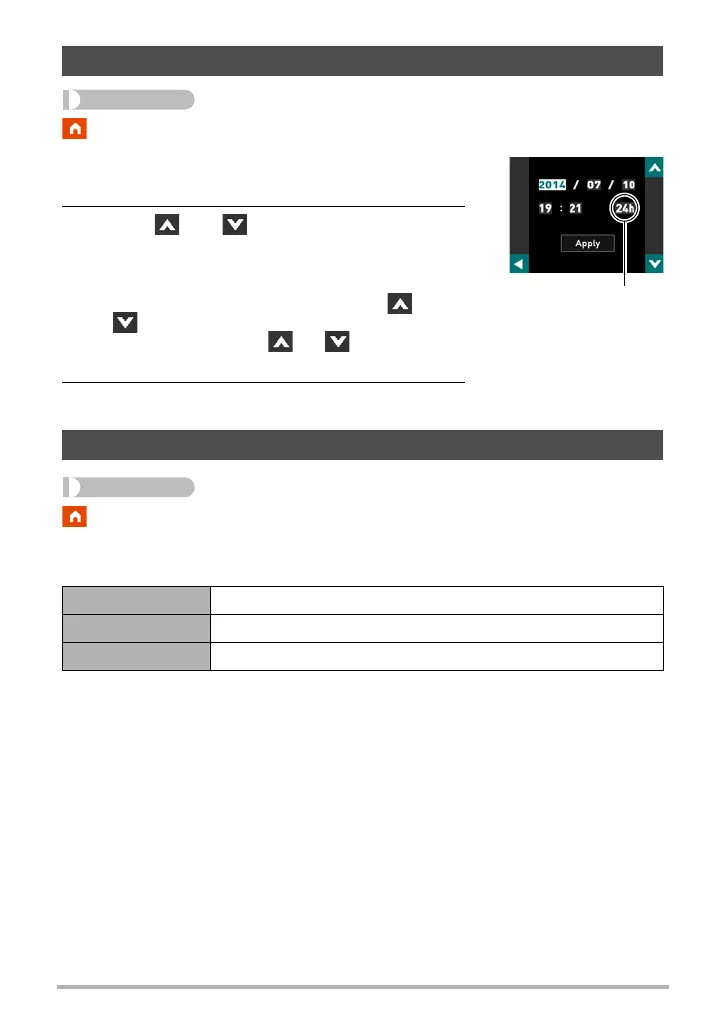
* MENU * Setup * Adjust
1. Touch the value you want to change (year,
month, day, hour, minute).
2. Touch “ ” or “ ” to change the currently
selected value.
• You can specify a date from 2001 to 2049.
• To switch between 12-hour and 24-hour format,
touch “am (pm)”/“24h”, and then touch “ ” or
“”.
• Touching and holding “ ” or “ ” scrolls at high
speed.
3. Touch “Apply”.
Procedure
* MENU * Setup * Date Style
You can select from among three different styles for the date.
Example: July 10, 2015
Setting the Camera’s Clock (Adjust)
Specifying the Date Style (Date Style)
YY/MM/DD 15/7/10
DD/MM/YY 10/7/15
MM/DD/YY 7/10/15
12/24 hour switch icon


 To Next Page