46
Advanced Recording Settings
Procedure
Enter the “REC Mode” * * MENU * White Balance
You can adjust white balance to match the source of
light available where you are shooting and avoid the
blue cast that results when shooting outdoors and the
green cast that results when shooting indoors.
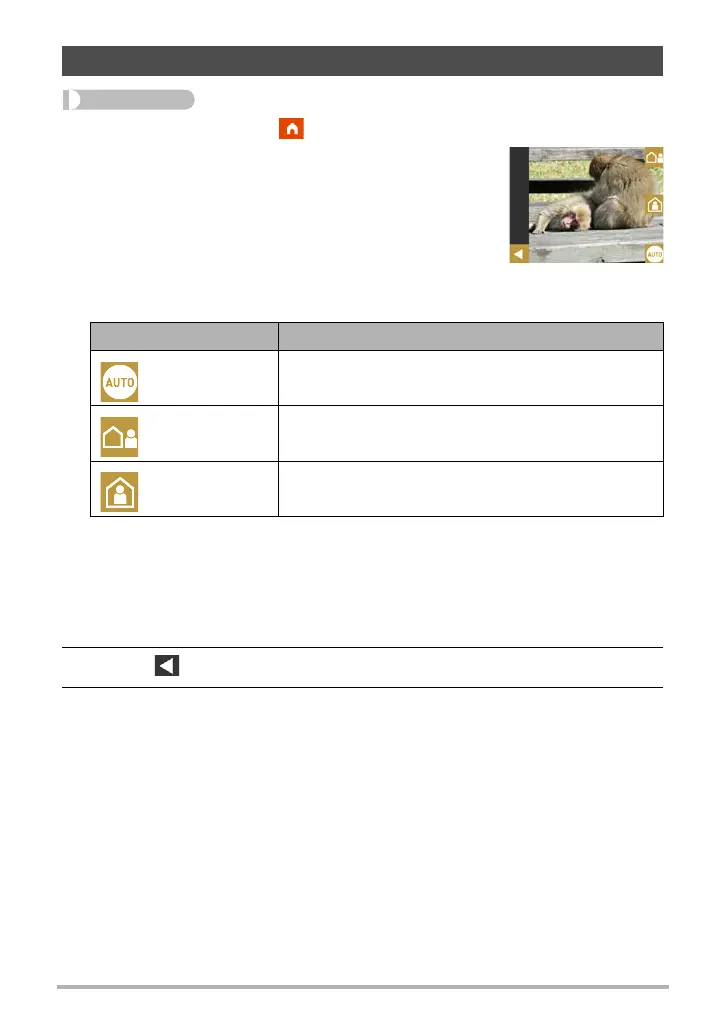
1. Touch the type of white balance you want to
select.
You can see the affect of the white balance setting
you select on the monitor screen.
• When “Auto” is selected for the white balance setting, the camera automatically
determines the white point of the subject. Certain subject colors and light
source conditions can cause problems when the camera tries to determine the
white point, which makes proper white balance adjustment impossible. If this
happens, select the white balance setting that matches your shooting
conditions.
2. Touch “ ” (Back) to go back to the home screen.
3. Press the shutter button to shoot.
Adjusting Hue when Shooting (White Balance)
Setting Description
Auto
Configures the camera to adjust white balance
automatically
Outdoors For shooting outdoors
Indoors For shooting indoors


 To Next Page