1 4
EXPERT Manual
10. PRE-FLIGHT INFORMAT I O N
E X P E R T TRAINER SYSTEM
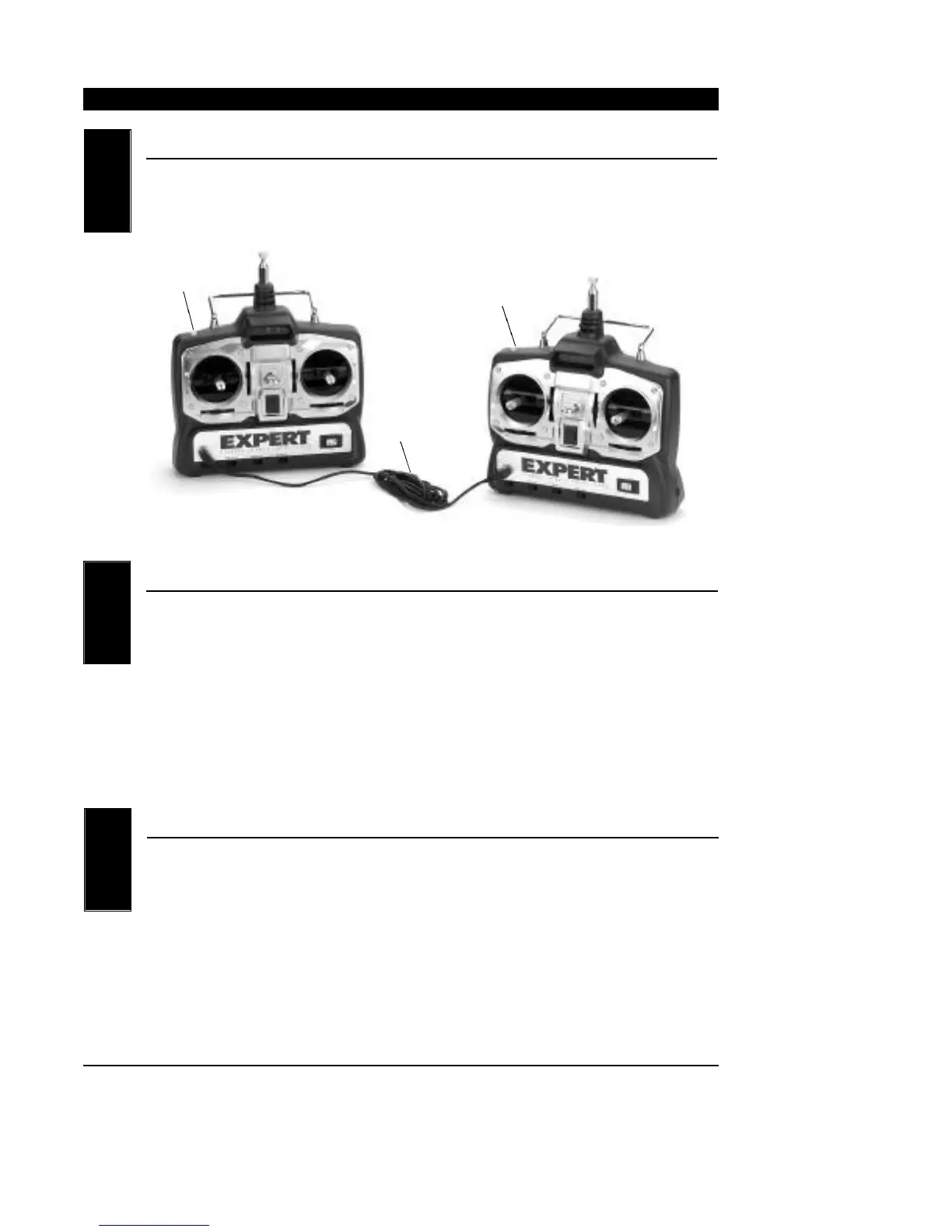
The EXPERT features a built-in trainer system. The transmitter can be
used as either a master (trainer) or as a slave (trainee). The EXPERT is
compatible with all other current PPM selectable (FM) EXPERT or JR
radios that have built-in trainer systems. An optional trainer cord is
needed (EXRA400).
O P E R ATING THE TRAINER SYSTEM
1. Match the servo reversing and trims of both radios.
2. Plug the optional trainer cord into both transmitters.
3. Turn on the master transmitter.
NOTE: The slave radio must be left off.
4. Test all the control functions on your aircraft with the master radio.
5. Push the trainer button on the master transmitter and check all the
control functions with the slave radio.
Special Note to Beginners: We strongly suggest that you seek the
help of an experienced model airplane
pilot prior to flying your new model.
RANGE TESTING YOUR MODEL
We suggest that before the initial flight of your model, you first
perform a ground range test to ensure that the transmitting/receiving
abilities of your EXPERT perform properly. Conduct the range test
as follows:
Do not extend the transmitter antenna at this time. Turn your EXPERT
transmitter “on.” Next, turn the model switch “on.” Slowly walk away
from the model while moving the control surfaces. The system should
function properly to a distance of approximately 60-65 feet.
NOTE: If your test falls short of the described range, confirm that your
NiCad batteries are fully charged. If this situation remains
unchanged, please contact the Horizon Service Center (address
and phone number at the back of this manual) before attempt-
ing to fly your model.
10.1
10.2
10.3
Optional
Trainer Cord
(EXRA400)
Trainer Button
Slave Transmitter
Power Switch Off
Master Transmitter
Power Switch On
Trainer Button



 To Next Page