28
EN
Flat Board Mount
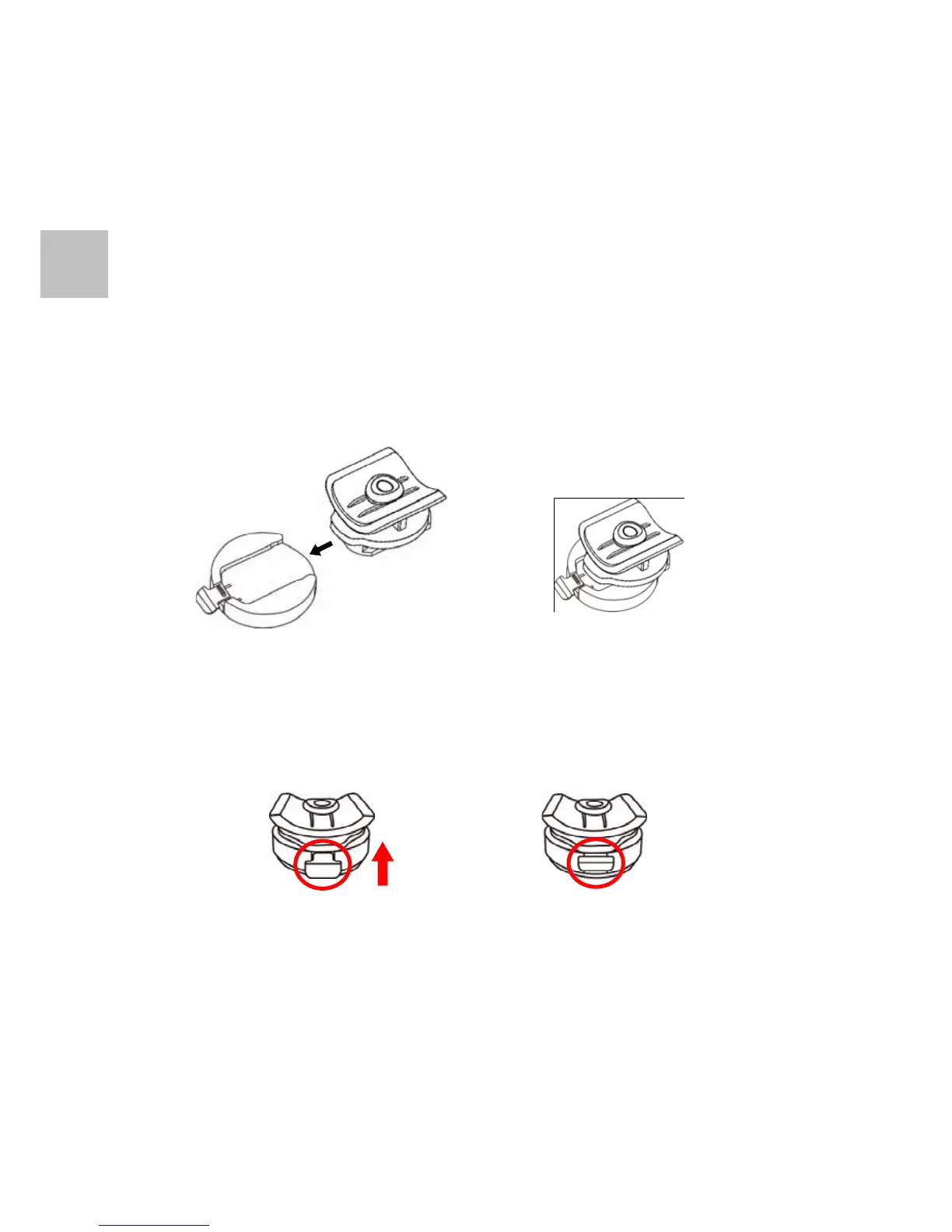
1. Follow the designated direction to slide Tripod Mount into the
camera mounting slot.
2. Push the Tripod Mount to the end of the camera mounting
slot and make sure it is tightly locked.
3. Push the Tripod Mount to the end of the Flat Board Mount.
Push in the latch of the Flat Board Mount and make sure it is
tightly locked.
4. Clean the flat board where you want to mount. Remove the
protected membrane of adhesive on the Flat Board Mount.


 To Next Page