27
EN
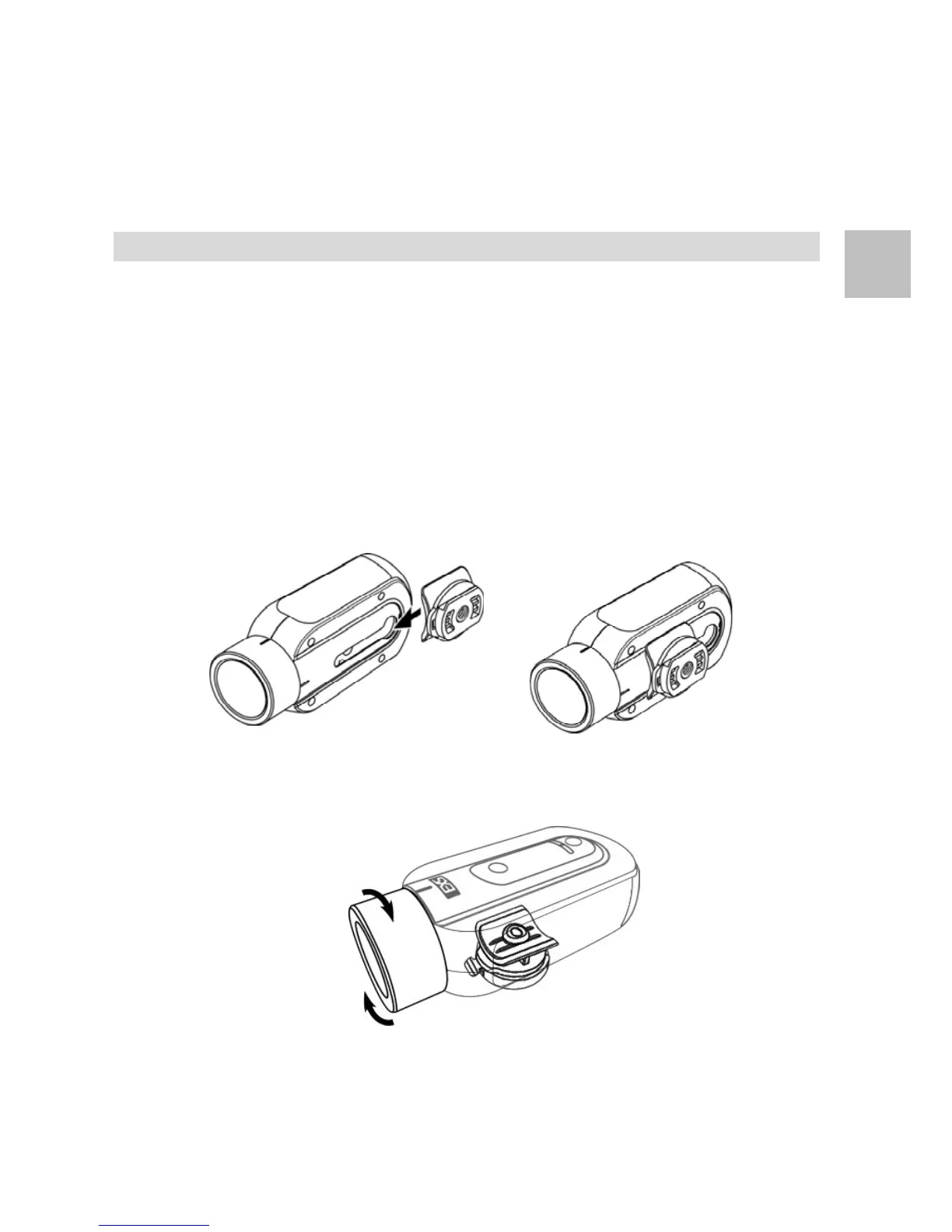
12. Mount Install
Tripod Mount
1. Follow the designated direction to slide Tripod Mount into the
camera mounting slot.
2. Push the Tripod Mount to the end of the camera mounting
slot and make sure it is tightly locked.
3. Now, screw in a monopod or tripod in the screw hole of the
Tripod Mount.
4. Once mounted with camera, rotate the camera lens barrel to
the proper position for recording.


 To Next Page