EasyManua.ls Logo

Extech Instruments CO15 - User Manual

Extech Instruments CO15
7 pages
Print Icon
To Next Page IconTo Next Page
Loading...
User Manual
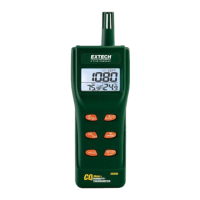
Carbon Monoxide Meter
Model CO15
Additional User Manual Translations available at www.extech.com

Questions and Answers

  • Z
    zdurhamJul 27, 2025
    How to fix no display on Extech Instruments CO15 Measuring Instruments?
    • K
      Katherine SmithJul 28, 2025
      If there is no display when you press the power button on your Extech Instruments Measuring Instruments, first, ensure the batteries are properly installed with the correct polarity. If the issue persists, try replacing the batteries.
  • S
    Steve KennedyAug 2, 2025
    Why does my Extech Instruments CO15 display switch off?
    • M
      Melissa McclainAug 2, 2025
      If the display of your Extech Instruments Measuring Instruments switches off, it may be due to a low battery. Check the battery indicator and replace the batteries if necessary.
  • J
    jasonhermanAug 8, 2025
    What to do if Extech Instruments CO15 Measuring Instruments calibration fails?
    • F
      frank10Aug 8, 2025
      If your Extech Instruments Measuring Instruments fails to calibrate, the batteries may be low. Try replacing the batteries.
  • Q
    qcaseyAug 14, 2025
    What to do if Extech Instruments CO15 measurement is below range?
    • J
      James NelsonAug 14, 2025
      If the measurement is below the range of your Extech Instruments Measuring Instruments, check readings in a different area.
  • N
    nicole28Aug 20, 2025
    What to do if Extech Instruments Measuring Instruments measurement is above range?
    • F
      ffrancisAug 21, 2025
      If the measurement is above the range of your Extech Instruments Measuring Instruments, check readings in a different area.

Summary

Introduction

Features

Safety Information

Meter Description

LCD Display

Details the elements and readings shown on the device's Liquid Crystal Display.

Button Descriptions

Explains the function and operation of each button on the device.

Operation

Power the meter

Instructions for turning the Carbon Monoxide Meter on and initiating its self-test sequence.

Measurements

Guidance on how to take carbon monoxide measurements and interpret readings.

Change Temperature Units

Procedure for switching between Celsius and Fahrenheit display units during self-test.

Maintenance

Battery Replacement

Steps for safely accessing and replacing the meter's batteries.

Specifications

Troubleshooting

Extech Instruments CO15 Specifications

General IconGeneral
BrandExtech Instruments
ModelCO15
CategoryMeasuring Instruments
LanguageEnglish

Related product manuals