TB400-en-GB_V1.3 8/16
3
MeasurementProcedure
Calibration
1. Ensurethatthemeterhasbeencalibratedpriortouse.
2. Refertothecalibrationsectionforthisprocedure.
SamplePreparation
1. Placethetestingliquidintothesuppliedsamplebottleuptothe10mLlineandsecure
thecaptothebottle.
2. Cleananddrytheoutsideofthesamplecuptoensurea cleansurface.
Measurement
1. ThemetershouldbeswitchedOFF.
2. OpenthetestchambercoverandInsertthetestingbottlecompletelyintothechamber.
3. Lineupthewhitemarkofthetestingbottlewiththewhitemarkontheedgeofthetest
chamber.
4. Closethechambercoverandlock
itinplace.
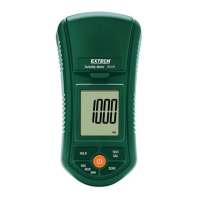
5. Pressthe“POWER”buttontoturnonthemeter.
6. Momentarilypressthe“TEST”button.Thedisplaywillflash"tESt"forapproximately10
secondsandthentheturbidityvalue,inNTUunits,willbedisplayed.
7. MomentarilypresstheOFFbuttontoturnoffthemeter.
DataHOLD
Pressthe“HOLD”buttononcewhiletaking ameasurementtofreezethevalueonthedisplay.
Press“HOLD”again toreleasetheDataHoldfunction.
DataRecord(MAX/MINReadings)
1. The datarecordfunctionrecordstheMAXand Minreadings.Press"REC"buttononceto
begindatarecording.TheLCDwilldisplaythe"REC"symbol.
2. Inrecordingmodepress"REC"once.Thedisplaywillshowthemaximumreadingand"REC
MAX"willappearontheLCDdisplay.
3. Press
"REC"buttononceagainand"RECMIN"willappearontheLCDalongwiththe
minimumreading.
4. TodeletetheMAXorMINvaluepress"HOLD"once.TheLCDwilldisplay"REC".
Auto‐PowerOFF
TheAutoPowerOFFfeatureautomaticallyswitchestheTB400OFF10minutesafterthelastkey
press.
w ww . . co m
information@itm.com1.800.561.8187




 To Next Page