Need help?
Do you have a question about the Extech Instruments WTH600-E and is the answer not in the manual?
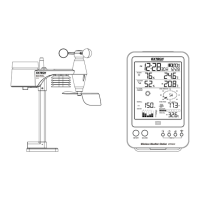
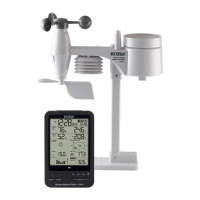
Detailed description of the main weather station unit and its components.
Detailed description of the wireless sensor unit and its components.
Explains the elements and indicators on the main LCD display of the weather station.
Details the display elements for indoor temperature and humidity readings.
Details the display elements for outdoor temperature and humidity.
Explains the weather forecast display and its icon.
Details the display elements for barometer readings and historical data.
Explains the display modes for rainfall rate and accumulated amounts.
Instructions for installing batteries and mounting the wireless sensor.
Details on battery installation and ensuring water resistance for the wireless sensor.
Guidelines for properly installing the wireless sensor for accurate measurements.
Steps for installing batteries and mounting the main weather station unit.
Process to connect the wireless sensor to the main display unit.
Procedure to re-pair the sensor with the main unit after battery replacement.
Explanation of the RC time signal synchronization and its indicator.
How to manually set the date, time, and time zone for the weather station.
Detailed steps for manual clock and time zone adjustments.
Instructions to temporarily disable or enable automatic RCC signal reception.
Instructions to permanently disable or enable automatic RCC signal reception.
How to choose between absolute and relative atmospheric pressure display.
Steps to set the relative atmospheric pressure value manually.
How to select units (hPa, inHg, mmHg) for barometer readings.
How to choose the display mode for rainfall (rate, daily, weekly, monthly).
How to select units (mm or inches) for rainfall measurements.
Explains how to interpret wind direction indicators and readings.
How to choose between average and gust wind speed displays.
How to change wind speed units (mph, m/s, km/h, knots).
Instructions on how to view the calculated wind chill temperature.
Instructions on how to view the calculated heat index.
Instructions on how to view the calculated indoor dew point temperature.
Steps to set the high/low alerts for various weather parameters.
How to enable or disable the HI/LO alarm alerts and silence the alarm.
Instructions for cleaning the rain collector component of the sensor.
Instructions for cleaning the thermo-hygro sensor area of the unit.
Specifications for the main unit including dimensions, weight, and power.
Specifications for indoor temperature measurements.
Specifications for indoor humidity measurements.
Specifications related to the radio-controlled clock function.
Specifications for the wireless sensor unit.
Specifications for outdoor temperature measurements.
Specifications for outdoor humidity measurements.
Specifications for the rain gauge, including units and range.
Specifications for wind speed and direction measurements.
Specifications for wind chill, heat index, and dew point ranges.
 General
| Display Type | LCD |
|---|---|
| Temperature Range (Indoor) | 14 to 122°F (-10 to 50°C) |
| Temperature Accuracy | ±1°C (±1.8°F) |
| Temperature Resolution | 0.1°C (0.1°F) |
| Humidity Accuracy | ±5% |
| Humidity Resolution | 1% |
| Dew Point | Yes |
| Data Logging | Yes |
| Wireless Range | 100 m (328 ft) in open space |
| Power (Remote Sensor) | 2 x AA batteries |
| Power Supply | Battery |
| Rainfall Measurement | 0 to 9999 mm |

 To Next Page