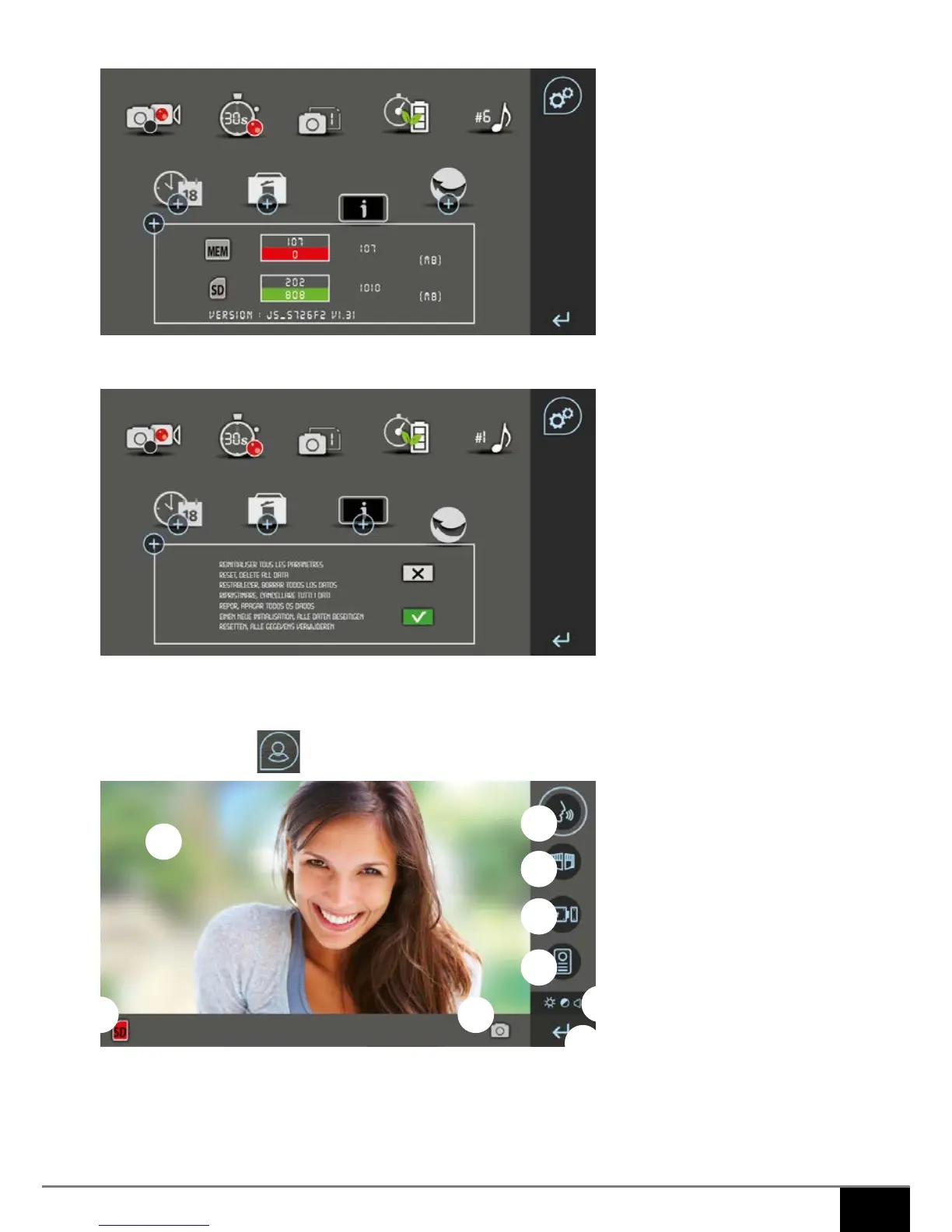
8. View the SD card and internal memory status
9. Restore factory settings
10. Current tab (symbol, no action)
11. Back to the home page
c. Videophone tab
1. Outside image (monitoring)
2. Button to start/stop a conversation, then back to the home screen. It has a green surround during a conversa-
tion
3. Portal control button. It has a green surround when the control has been activated
4. Electric lock or door opener control button It has a green surround when the control has been activated
1
2
3
4
5
6
7 8
9



 To Next Page