b. Settings tab
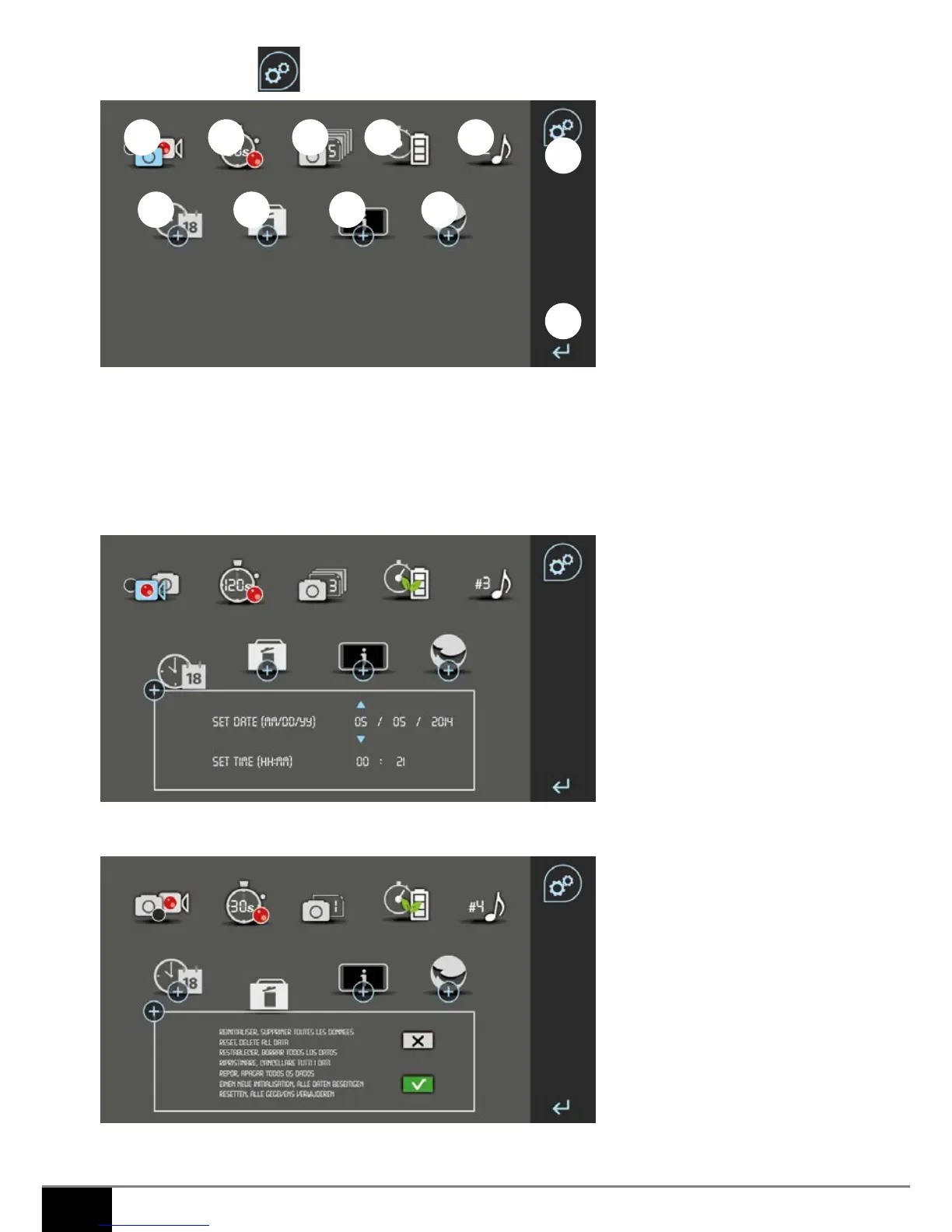
1. Select taking a picture (blue picture icon), recording a video (blue camera icon), or neither of the two (white
picture and camera icons) if there is a missed call or for monitoring
2. Select the video recording duration for missed calls or monitoring (10 sec or 20 sec or 30 sec)
3. Select the number of pictures to take for missed calls or for monitoring (1 or 3 or 5 pictures)
4. Equipped energy saving symbol
5. Select a ring tone (from the 6)
6. Set the date and time
7. Delete all data (manual and automatic pictures and videos)
1 2 3 4 5
6 7 8 9
11
10



 To Next Page