GB9
CFI EXTEL NOVA / NOVA WHITE / ICE - 11/2016
8. OPTIONS
• All Extel electric doors
• All Extel electric locks
• All Extel motors
• Modular power supply MODULO B (wiring fig. 7)
• Additional camera CAM SUP
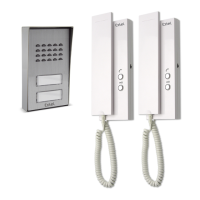
• Additional intercom panel PL VISIO +
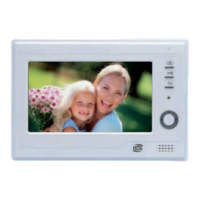
• Additional monitor MN VISIO +
• SD card (type SD or SDHC)
9. TECHNICAL ASSISTANCE - WARRANTY
Failure Cause Solution
• The monitor does not turn
on
• The monitor is not con-
nected to a power source
• Check the power supply connection
• Bad image and/or bad
sound
• Environment
• Installation or interference
• Check that the wires used are the correct size
and that the videophone's connection wires are
not in the same sheath as the 230 V wires.
• We recommend that you check that your
equipment is working properly by carrying out a
short-distance test (min 2 m, max 5 m cable)
• Image is too bright • Camera position • Do not expose the camera lens directly to sun-
light or to a reflective surface.
• Blue screen, no bell • Installation • The connection wires between the monitor
and the
intercom panel are reversed (1 and 2)
• Video is not recorded when
a call is made
• Settings
• SD card
• Check the recording mode section 6d
• Check that the SD card has been inserted
• Do not use a micro SD card + adaptor
• No sound from the inter-
com panel
• Interference • Check that the intercom panel’s microphone
hole is not obstructed.
• Monitor turned off (LED
light turned off)
• Poor connection or
short circuit on the line
• Solve the connection problem, bundle the
power supply for 10 seconds, then reconnect.
If required, our technical site is at your disposal: www.c-extel.com
The latest version of the instructions in colour is downloadable from: www.c-extel.com



 To Next Page