11The Source User Manual Mobile App
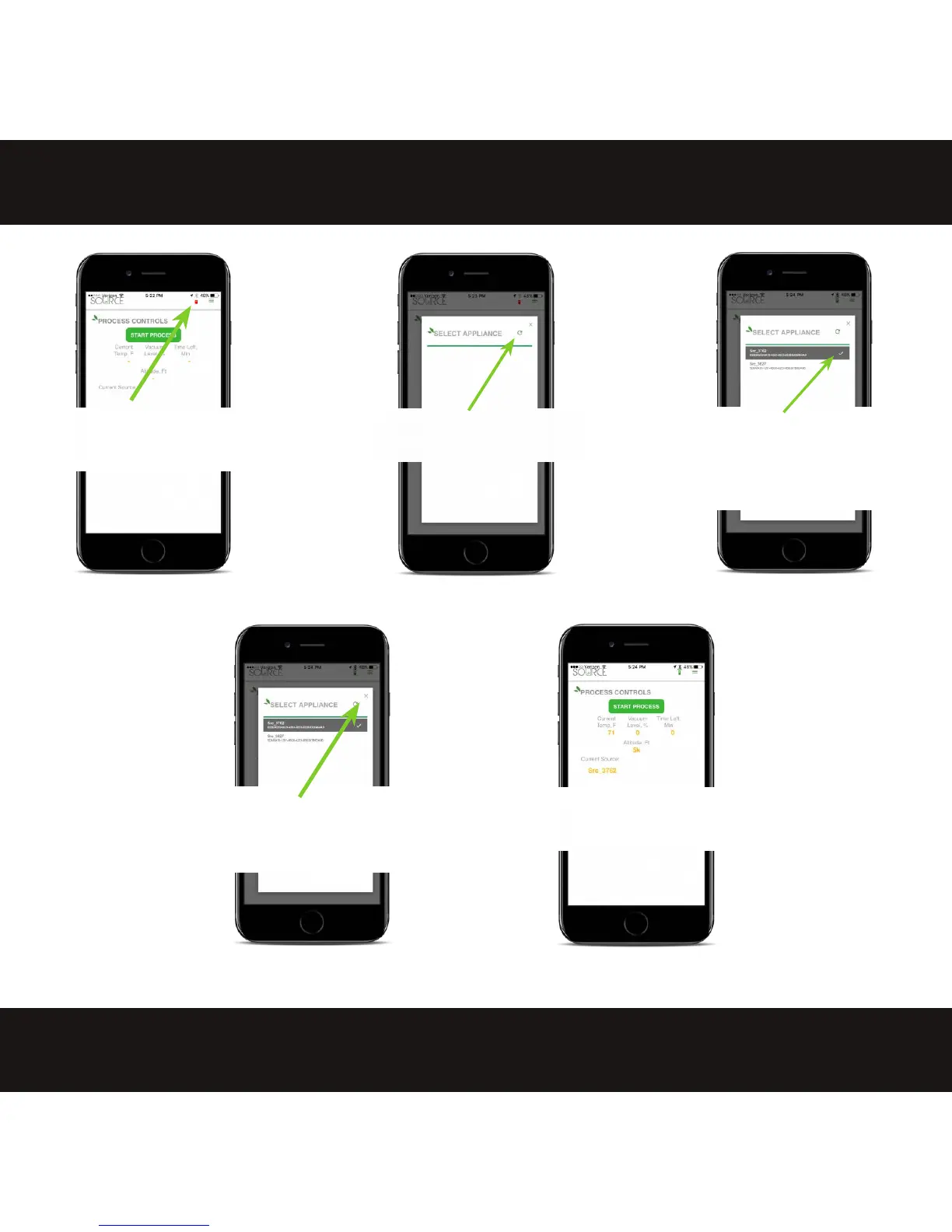
1.Tap red comm icon at the
top to open the "Select
Appliance" Dialog box.
2. If no device appears tap
the refresh icon.
3. The refresh will display all
current available units. Tap
the unit you want to use so it
is grayed
-out with a check
mark next to it.
4. With the desired unit selected close
the "Select Appliance" screen by
tapping the "x" in the top right corner.
5. The app will be connected
with all display values active.


 To Next Page