13The Source User Manual ALTITUDE TUNING
ALTITUDE TUNING
In order for your Source to perform at its full potential it’s very important to program the elevation where it will
be used to the closest 1,000 feet of elevation. Once you program an elevation it will remain as the default until it’s
manually changed to a dierent elevation.
DETERMINING ELEVATION
STEPS TO PROGRAM ELEVATION
Option 1- Ask Siri “What’s my current elevation?”
Option 2- Visit www.whatismyelevation.com and enter your current location.
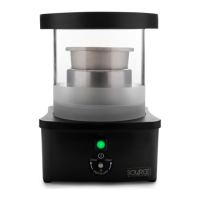
1) Plug in the Source and wait for the green lighted button to illuminate.
2) Push and hold the button for a full 10-seconds and release.
3) Observe the lighted button ash quickly 10-times.
4) Push the button once for every 1,000 feet of elevation up to 8,000 feet:
Sea Level.................no pushing (just wait for 10-seconds)
1,000-feet...............1-time
2,000-feet...............2-times
3,000-feet...............3-times
4,000-feet...............4-times
5,000-feet...............5-times
6,000-feet...............6-times
7,000-feet...............7-times
8,000-feet...............8-times
5) After entering your elevation the Source will pause for 10-seconds and the green lighted button will
ash the same number of times it was pushed, once for every 1,000 feet.
6) If the Source repeats back the correct number of ashes you’re nished and ready to start your extract
crafting. If it's incorrect repeat steps 1-6 again. The elevation setting is stored permanently until the
elevation is reprogrammed.


 To Next Page