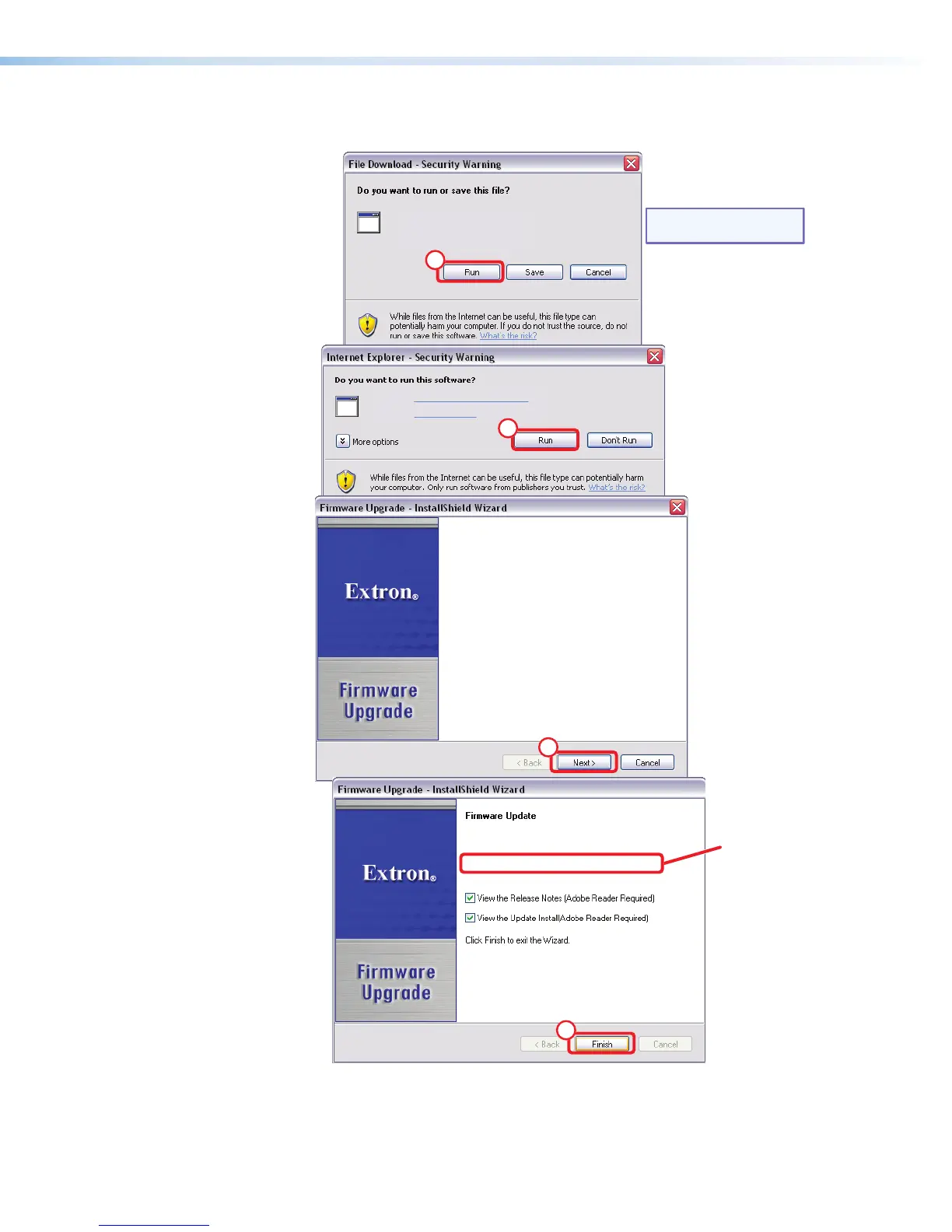
6. Click Run twice (see figure 69,
f
). The PC downloads the firmware update from the
Extron Web site and starts the installation program to extract the firmware file.
Folder where
firmware is
installed
NOTE: The version shown is a
sample value only.
Name: DMP64_FW1x01.exe
Type: Application, 2.26 MB
From: www.extron.com
Name: FirmwareInstall-DMP64_Upgrade
Publisher: Extron Electronics
6
6
7
8
Welcome to the Extron Installation Program for
the DMP64 Firmware Upgrade v1.01
The Extron Installation Program will install the updated
rmware on your computer. To continue, click Next.
The InstallShield Wizard has successfully installed the
Firmware Update. The release notes can be found at
C:\Program Files\Extron\Firmware\DMP 64\v1.01
Figure 69. Downloading Firmware Upgrade Files
DMP64 • HTML Operation 129



 To Next Page