Figure 83. Location of Software on the Website
By default, the Windows installation creates a folder for the software, as follows:
• 64-bit OS: C:\Program Files (x86)\Extron\ButtonLabelGenerator.
• 32-bit OS: C:\Program Files\Extron\ButtonLabelGenerator.
The installation also places the Button Label Generator icon into a group or folder named
“Extron Electronics.”
Using the Button-Label Generator software
1. Click Start > Programs > Extron Electronics > Button Label Generator >
Button Label Generator. The Button-Label Generator window opens (see figure 84).
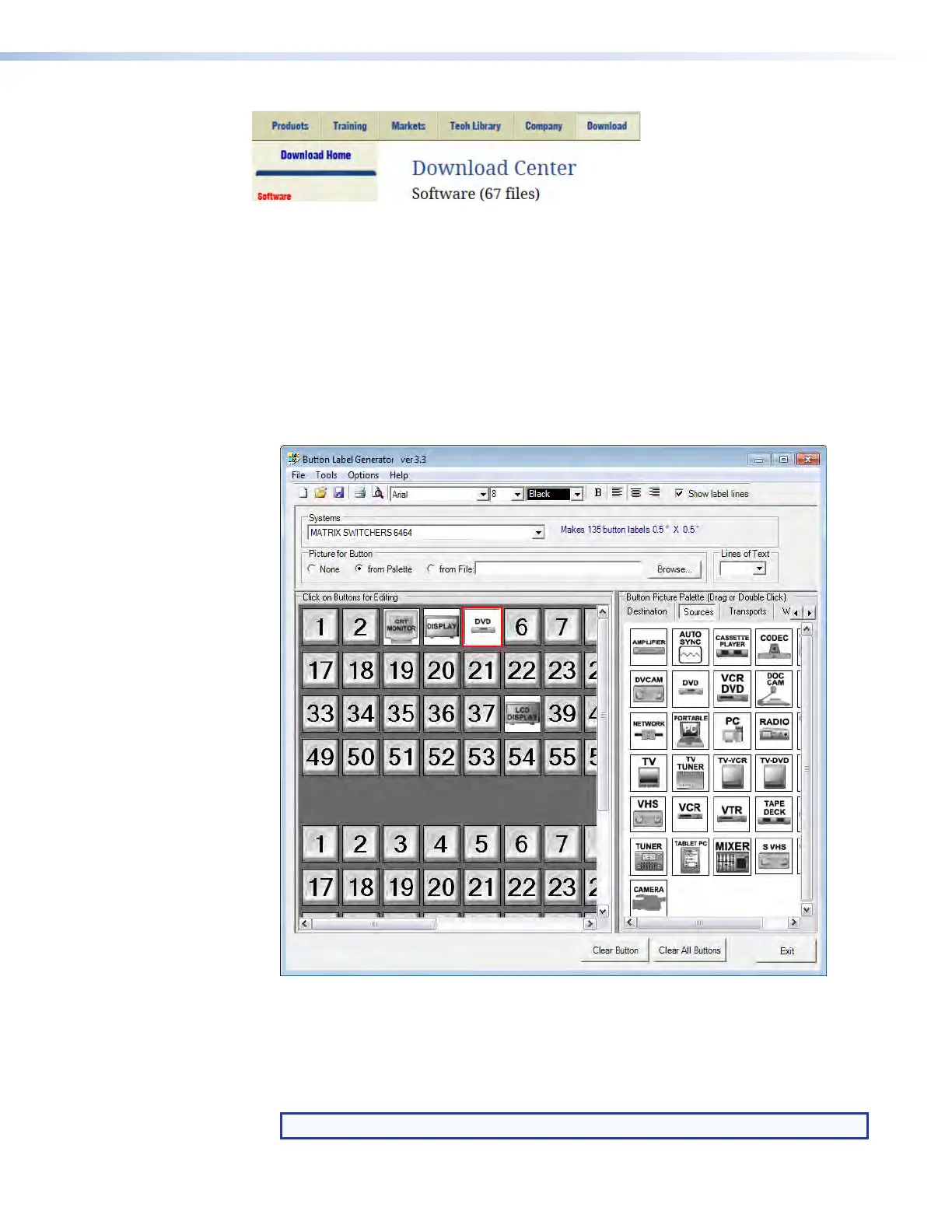
Figure 84. Extron Button-Label Generator Window
2. In the Systems selection box, choose the Matrix Switchers 6464 option to match,
as closely as possible, the button label size and quantities for your switcher.
3. Using normal Windows controls, you can create and print labels that can be placed in
the label windows on the front panel of the switcher.
NOTE: For best results, print on transparent or translucent material.
XTP II CrossPoint 1600, 3200, and 6400 Switchers • Maintenance and Modifications 151



 To Next Page