USER MANUAL
H.264 REAL TIME DVR
62
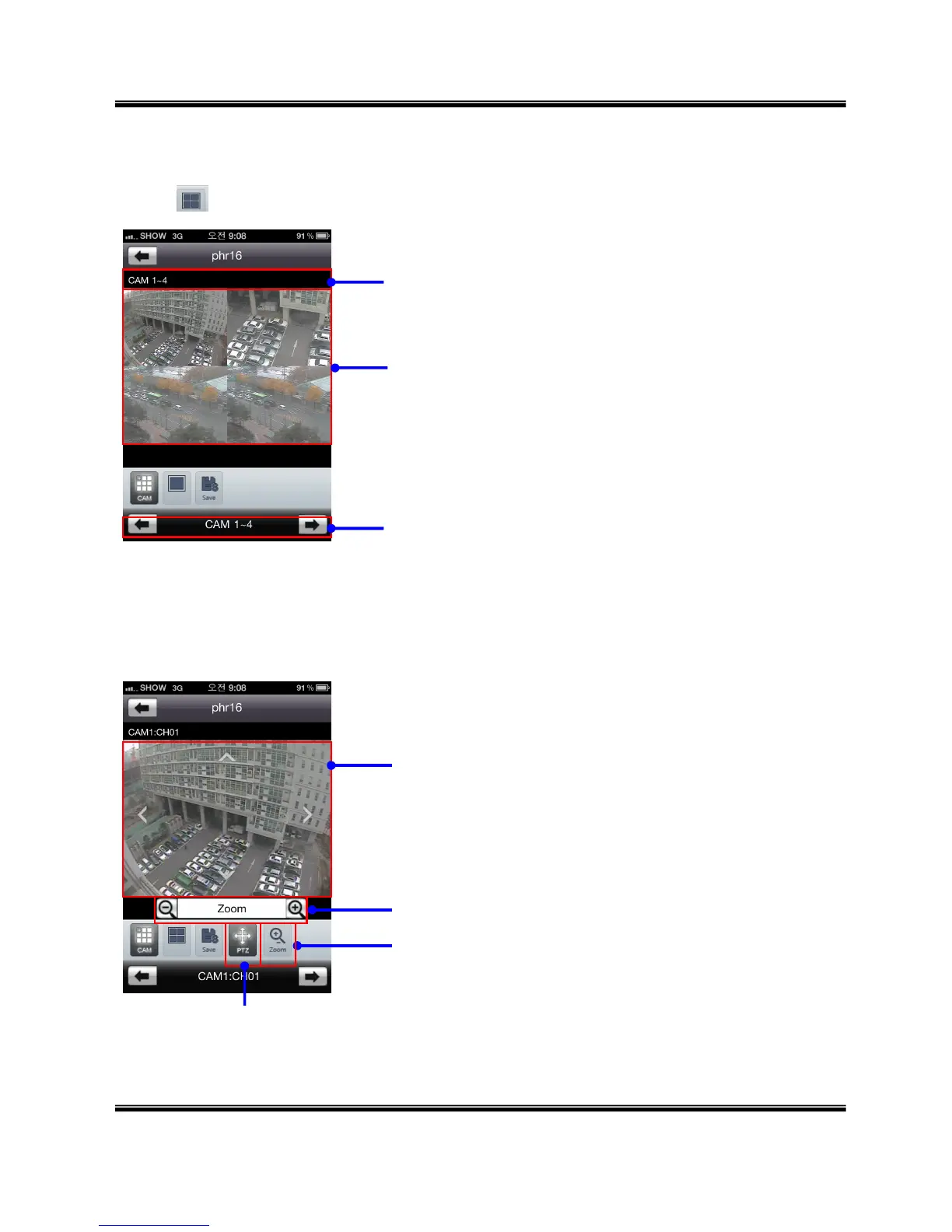
3. Screen Division mode (1 / 4)
Touch icon to select screen division (Switch screen division mode to 4 CH mode)
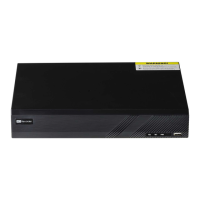
4. Pan, Tilt, Zoom, Iris, Focus, Speed Control
Camera Information
- Drag screen to Left / Right : move to next / previous 4 cameras
- Touch channel to enlarge selected channel as 1 camera mode.
- Change channel by drag or touch arrow.
- Touch channel name to move selected channel.
Select PTZ mode
- Touch arrow on the screen to control : Up / Down / Left / Right
Zoom / Iris / Focus / Speed mode
Whenever touch this icon, switch mode to Zoom / Iris / Focus / Speed
Zoom / Iris / Focus Out and In



 To Next Page