(not in inside storage any more)
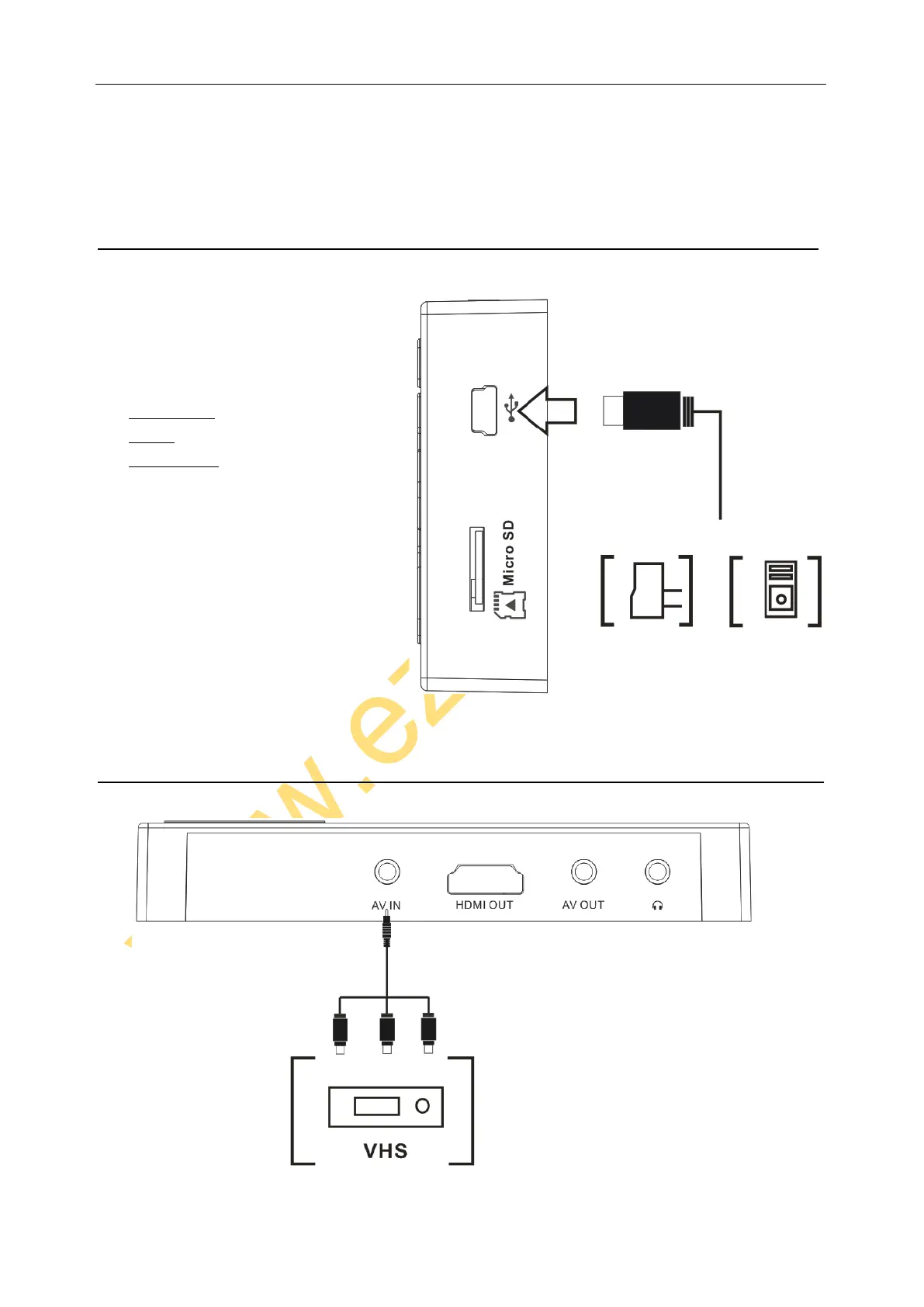
If want play the media stored on Micro SD, make sure the default
path is set to “Card Memory”
To remove Micro SD card, just press it again, let it pop-up.
POWER, CHARGE AND DATA
To charge the battery of this device, use USB
cable to connect with 5V DC or PC, will see the
charge status on screen.
Connect it to PC, will see 3 options:
Power & Data
Charge
Charge & Play
Just choose one you want and click ok.
When you choose Power & Data, you can
copy the file out or in to the memory (both
internal memory and card memory), also can
update firmware of the device.
AV INPUT


 To Next Page