Use the 3.5MM to RCA cable (come with the device in box) connect to the video source, such as VHS, DV, etc.
The 3.5MM connector plugs to the AV IN of device.
The RCA connectors to VHS, yellow = video, white = audio left channel, red = audio right channel.
When connect ok, at “TV IN” will see the playing video. Can record the video now.
Also at “Recorder”, can listen to the audio of the playing video, can record the audio with this connection.
Use a 3.5MM to 3.5MM audio cable, connect to AV IN of the device, the other side to the audio output of phones
or other audio source, also can record audio.
AV OUTPUT
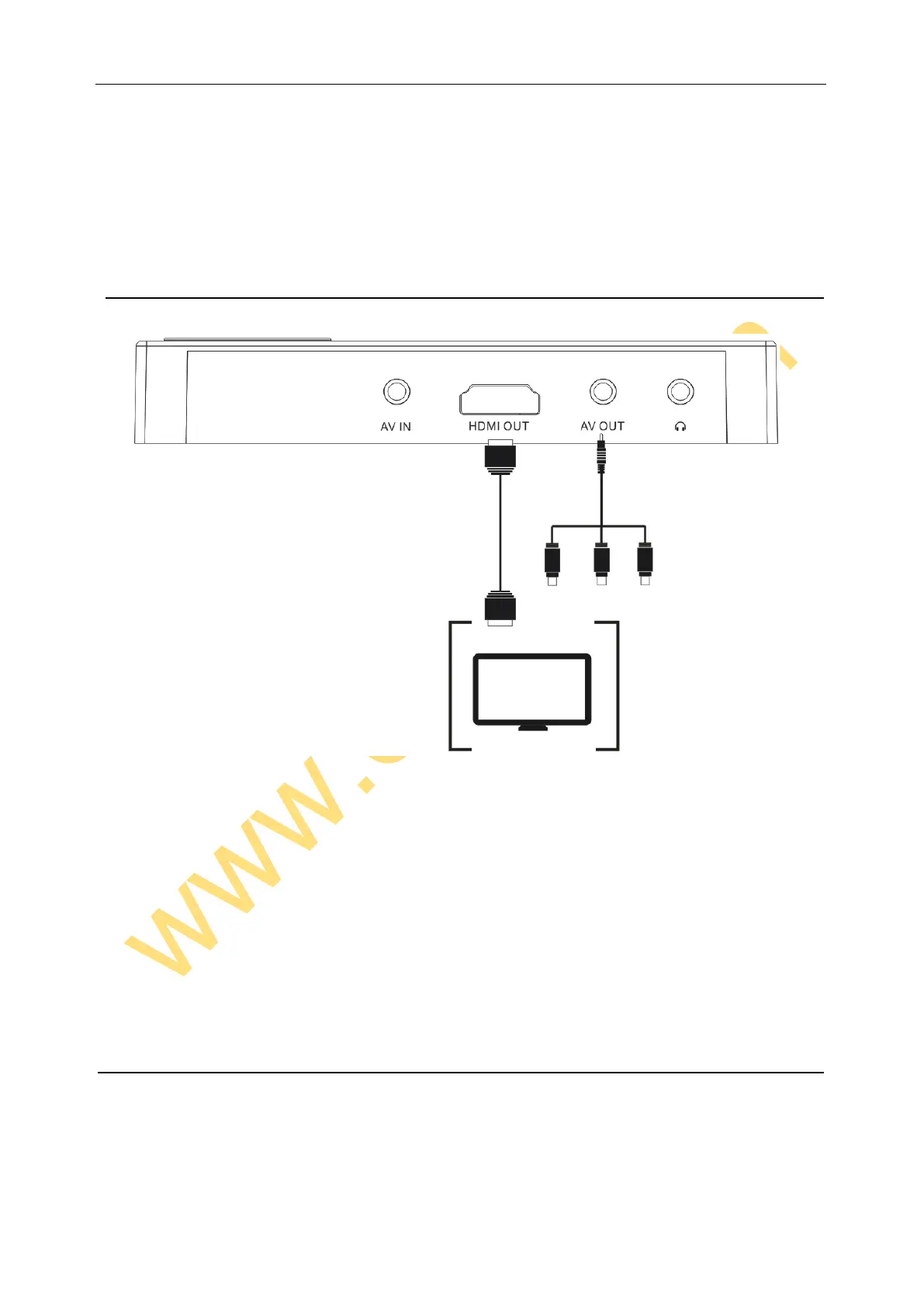
Ezcap271 with two video output – HDMI OUT and AV OUT.
Use HDMI cable or 3.5MM to RCA cable (come with the device in box) to connect with HDMI OUT or AV OUT,
and another side connects to TV or monitor. When connected (no matter HDMI or AV cable), the screen of ezcap271
will turn off, and the video will show on monitor.
Don’t connect HDMI and AV cable at same time. If that, only HDMI output will effect.
Please do not plug or unplug AV (HDMI) cable when playing (playback video or audio, recording video or audio),
otherwise will caused problems --- will go back to home menu from the playing mode (playback video or audio,
recording video or audio).
Note: You can’t record music when you connect HDMI cable with device and TV.
EAPHONE OUTPUT


 To Next Page