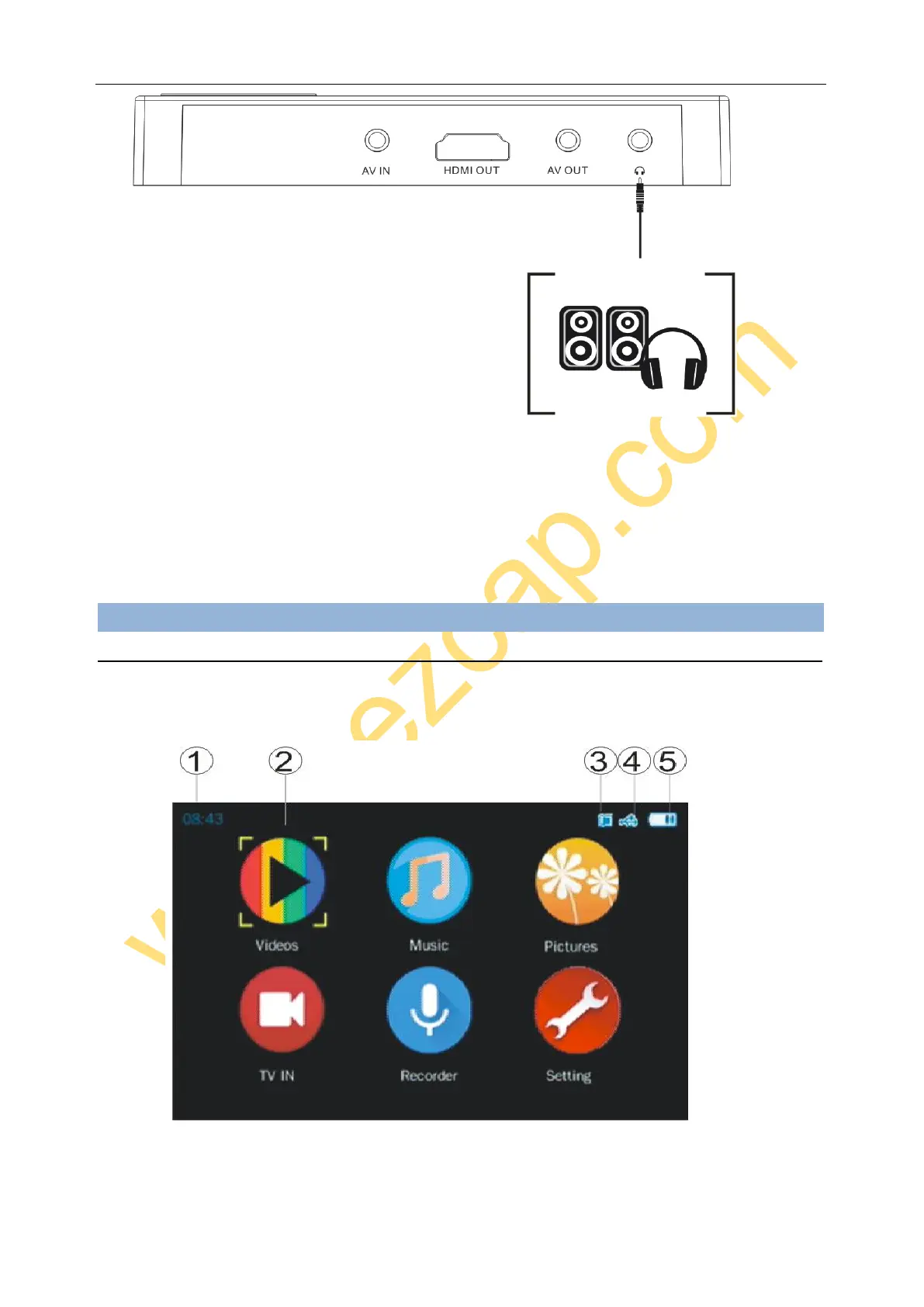
Connect earphone or speaker to earphone port, can listen the sound of ezcap271.
When you playback with own screen, plug earphone, the audio will cut off from speaker of ezcap271 and switch
to earphone.
When you playback with AV OUT, plug earphone, the audio will play at TV and earphone same time.
When you playback with HDMI OUT, plug earphone, the audio will keep playing on TV, does not play at
earphone.
Operate:
BASIC MENUS ON SCREEN
Long press (2 seconds) to power on ezcap271 (You may need to charge it if it is out of battery), will see:
1. TIME – Shows current time.


 To Next Page