1
Overview
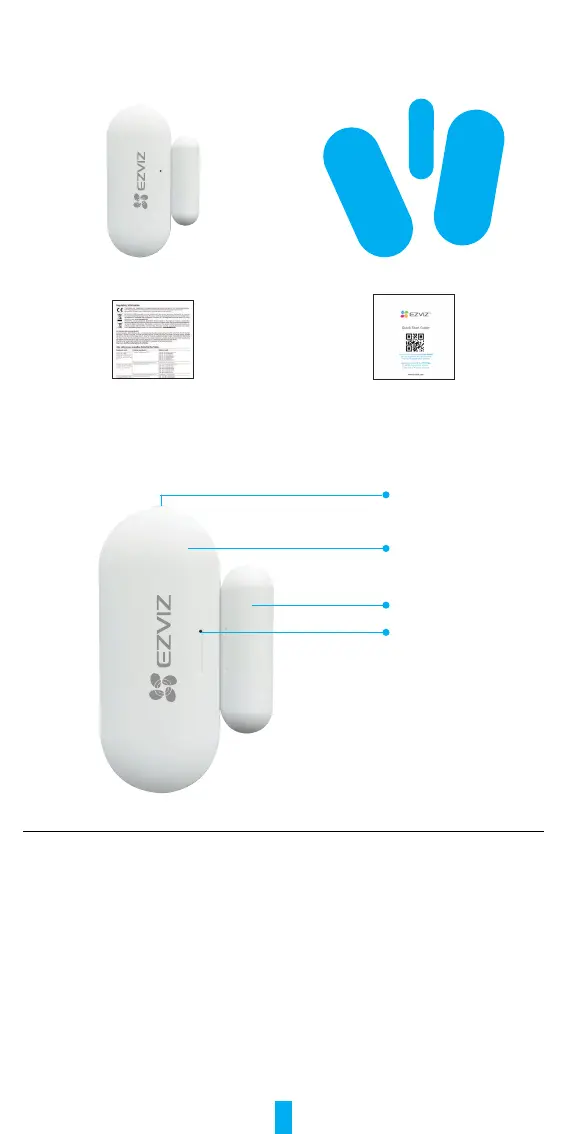
1� Package Contents
Open/Close Sensor Double-sided Tape
Regulatory Information Quick Start Guide
2� Basics
Detector
Magnet
RESET Button
LED Indicator
Name Description
RESET Button
Press and hold the button for over 5s to make the sensor enter
device adding mode.
LED Indicator
• Fast-ashingBlue:Sensorentersdeviceaddingmode.
• Fast-ashingBlueOnce: Door opening/closing signals triggered.
Get the EZVIZ App
1. Connect your mobile phone to Wi-Fi (suggested).
2. Download and install the EZVIZ app by searching for “EZVIZ” in the App Store
or Google Play
TM
.
3. Launch the app and register an EZVIZ user account.



 To Next Page