Confidential Page 12
3.2 User Management
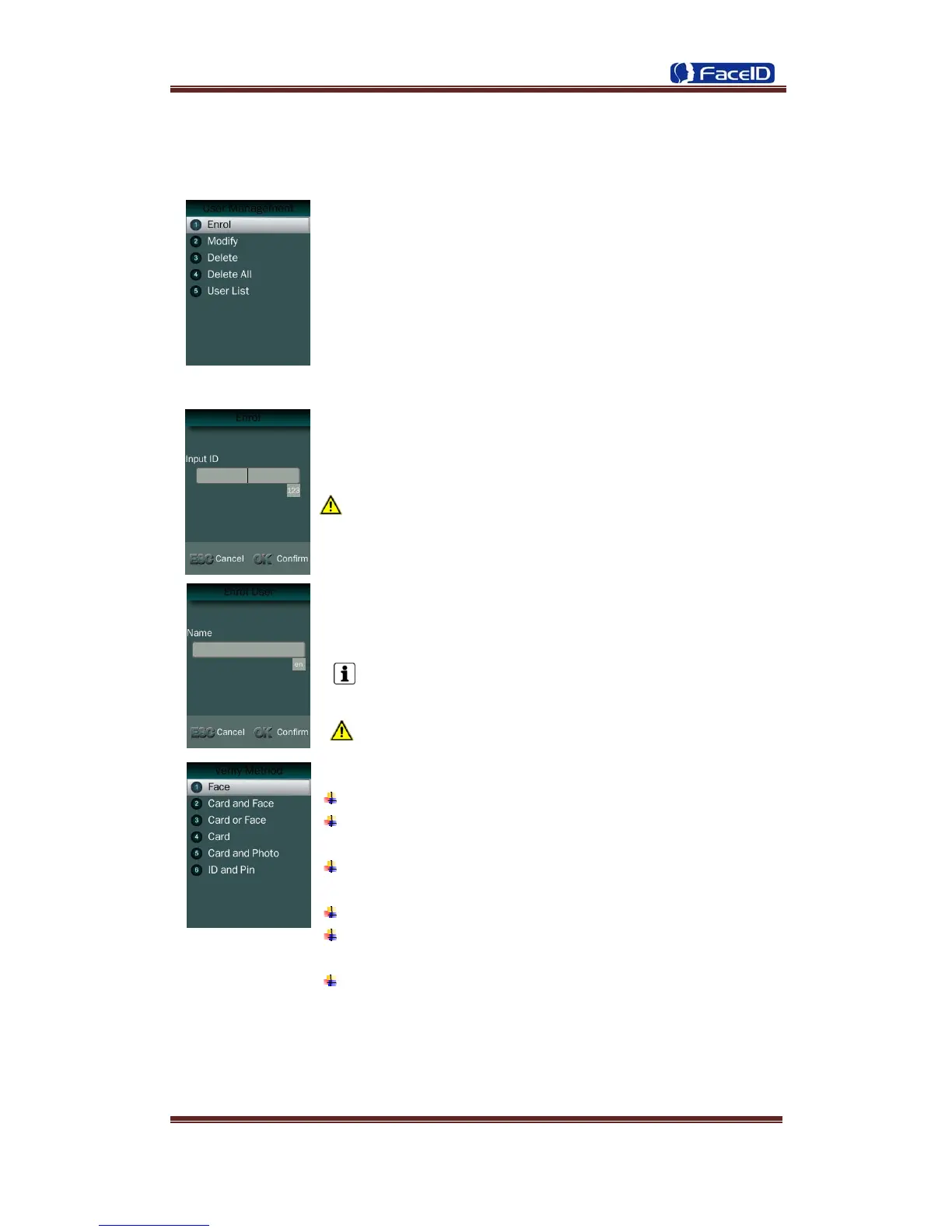
User Management Main Menu
User Enroll
Input User ID
The range of User ID is from 1-99,999,999,999,999.
Input name
Press to <MENU> will
switch character inputing mode
between <Upper Case> <Lower Case> and <Digital>.
User Name can contain 18-bit characters totally.
Select a verification mode
Face: Use face as a verification method.
Card and Face: Use card and face sequentially as a
verification method.
Card or Face: Use card or face separately as a verification
method.
Card: Use card as a verification method.
Card and Photo: Use card as a verification method, and takes
a picture after successful verification.
ID and Pin: Use ID and password sequentially as a
verification method.


 To Next Page