Confidential Page 34
Appendix2. Caution
Installation Environment
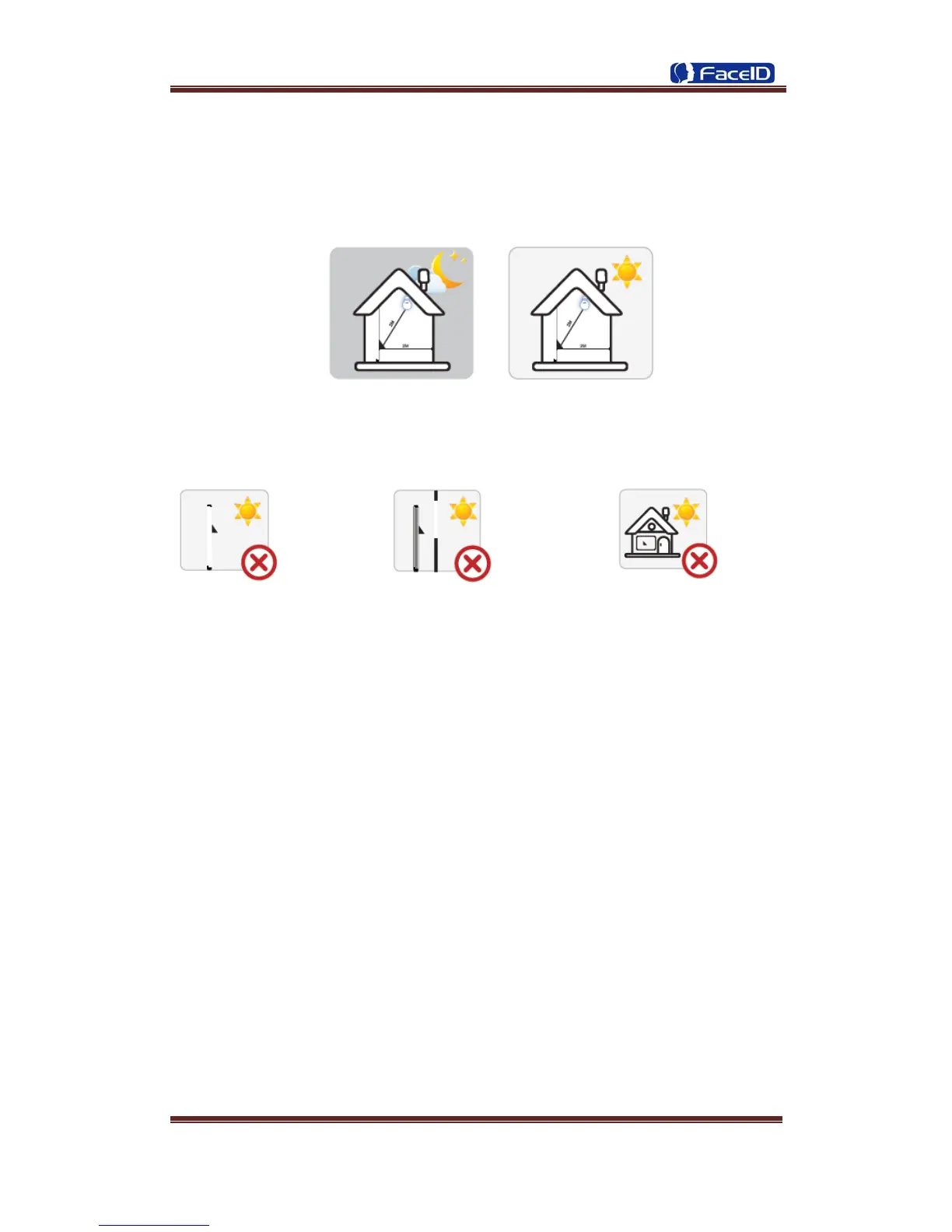
Terminal should install inside of the room, and make sure the installation place far
with the window/door/light more than 2 meters.
Outside of the room Sunlight directly shines on the Sunlight slanted shines on the
terminal through the window. terminal through the window.
Restoration and restart
When the system halted and cannot quit, you can remove the adapter to restore and
restart the system, or you also can press <RESET> to restart the terminal.
Restore to default setting
Restore all parameters to the default setting.
Non-Water proof
The terminal is non-waterproof, please keep away from water.
Prevent from Falling
The parts in this terminal are friable; please prevent the terminal from dropping,
smashing, bending and high pressure.
Cleaning
Please use soft cloth or the other similar material to clean the screen and faceplate,
please avoid cleaning with water and cleanser.
Low Temperature Environment
The working temperature for screen and the main parts in this terminal are the normal
indoor temperature. The performance of this terminal will get worse, if the working
temperature extend this temperature range.


 To Next Page