Confidential Page 17
3.4 USB Management
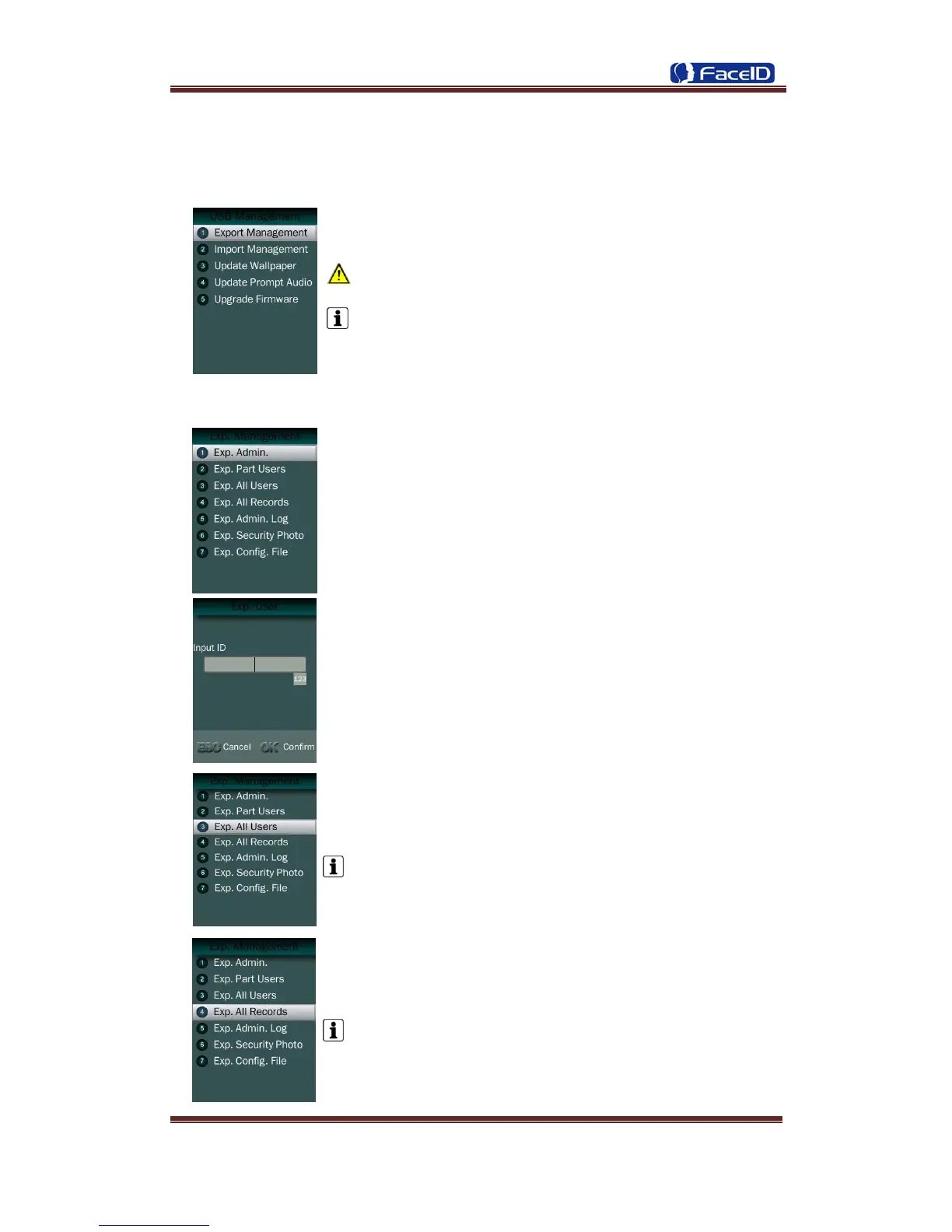
USB Management Main Menu
Don’t remove USB Disk while data transferring.
Try other USB Disk, if the terminal doesn’t recognize it.
Export Management
Exp. Admin.: Export all admin. data into a file which named as
“MANAGER.TXT ”
Exp. Part Users: Export part user’s data into a file which
named “USER.TXT”
Exp. All Users: Export data of all users.
Data is stored into a “USERALL.TXT” file.
Exp. All Records: Export all user records into a file, which
named as “TIME+SN”.TXT.
For example, TIME063.TXT, “063” is the last 3 bits of SN of
the terminal.


 To Next Page