Confidential Page 18
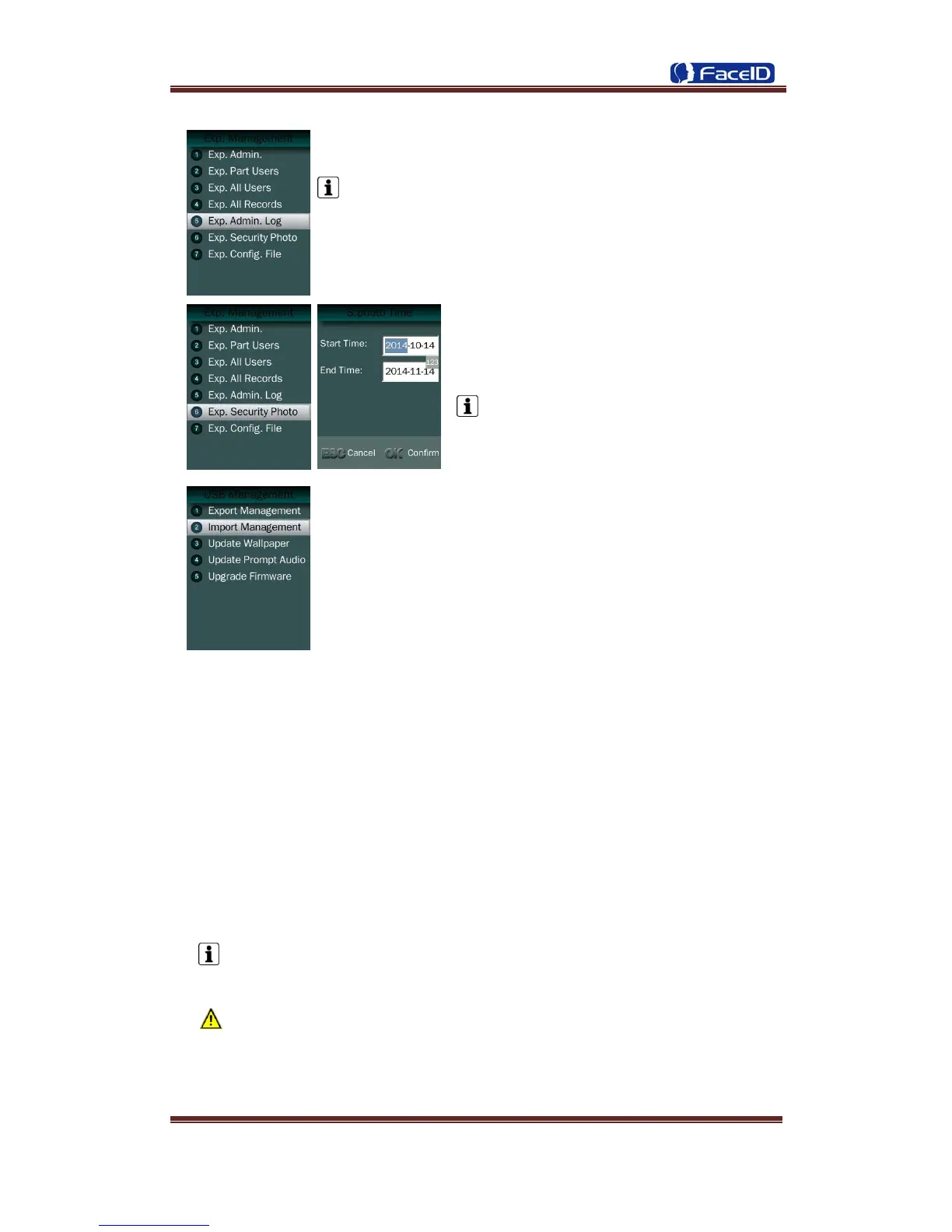
Exp. Admin. Log: Export all admin operating logs.
Data is stored into a “LOG.TXT” file.
Exp. Security photos: Set a time duration of
exporting security photos
Security photos are saved in <security>
folder
Exp. Config. File: Export terminal configuration file into a file,
which named as “sys.dat”.
Import Management
Import admin
Import all administrators data from MANAGER.TXT file on an USB Disk into the
terminal.
Import Part Users
Import all users data from USER.TXT file on an USB Disk into the terminal.
Import All Users
Import all users data from USERALL.TXT file on an USB Disk into the terminal.
Import User List
Import all ID and name information of users from USERLIST.TXT file on an USB
Disk into the terminal.
It is a shortcut way to add user ID and name for a terminal before registration
process. The contents of USERLIST.TXT file are list of <ID>+<TAB Key> +
<Name>.
The range of user ID is from 1-99,999,999,999,999.
Import work code
Import all work code data from WORKCODE.TXT file on a USB Disk into the
terminal.


 To Next Page