Confidential Page 6
2.2 Installation Guide
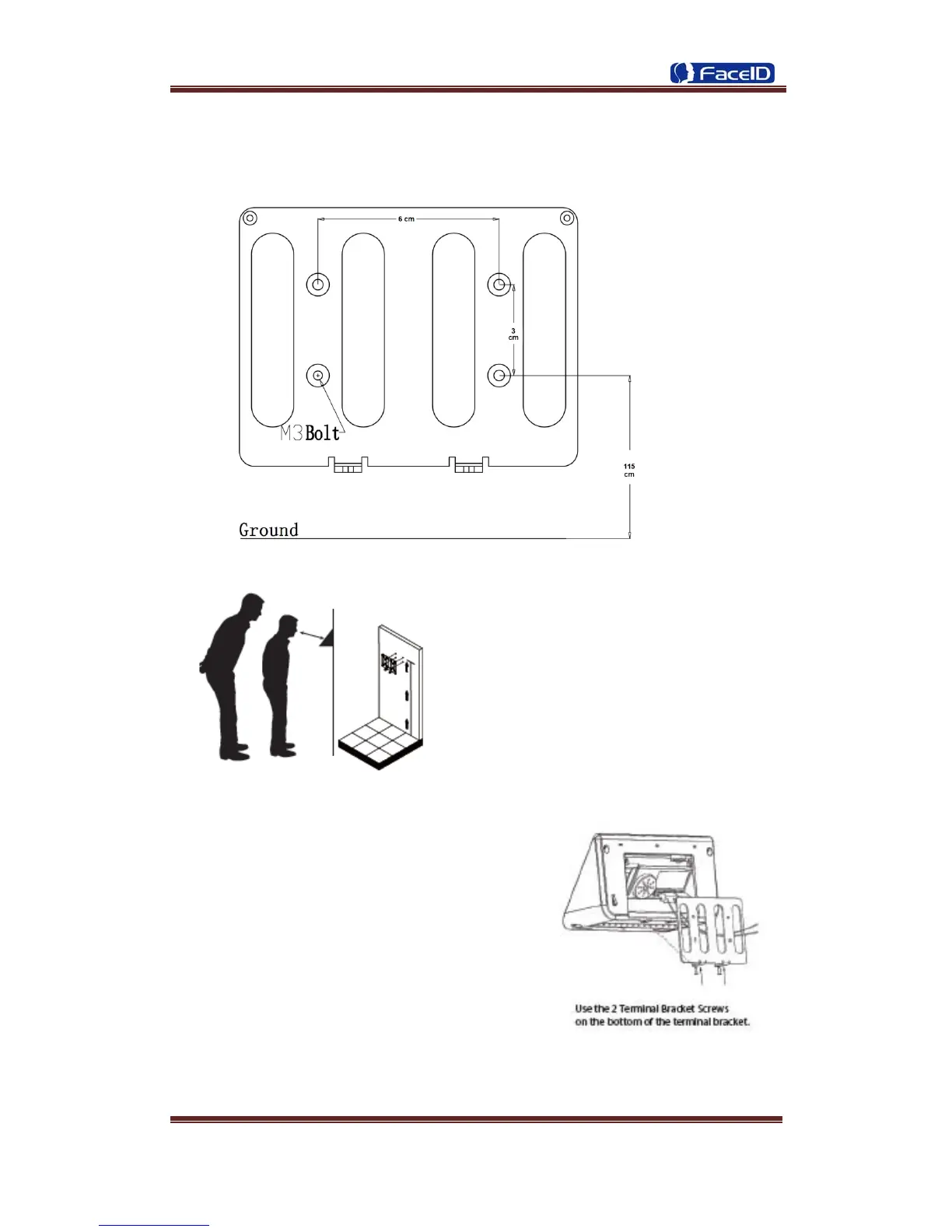
User can drill the holes according to the
mounting diagram. Use the 4 wall mount,
screws to mount the bracket to the wall.
User also could mount the terminal by
choosing your “shortest” users and have
them stand in front of the device.
Hold the terminal on the wall that
employee can comfortably center their
face in the LCD display window.
Use the 2 bracket screws on the bottom of the
bracket. Align the terminal with the pairs on
the mounting-plate and secure the two
together with the 2 Philips head screws. Be
careful not to pinch the AC cord. When
finished, plug the Power Adapter into the AC
wall outlet.


 To Next Page