Confidential Page 19
The contents of WORKCODE.TXT file are list of <ID> + <TAB Key> + <Work
Code>.
The range of work code ID is from 1-99,999,999.
Import work status
Import all work status data from WORKSTATUS.TXT file on a USB Disk into the
terminal.
The contents of STATUS.TXT file are list of <ID> + <TAB Key> + <Work Status>.
The range of work status ID is from 1-255.
Import Config. File
Import terminal configuration file from sys.dat file on a USB Disk into the
terminal.
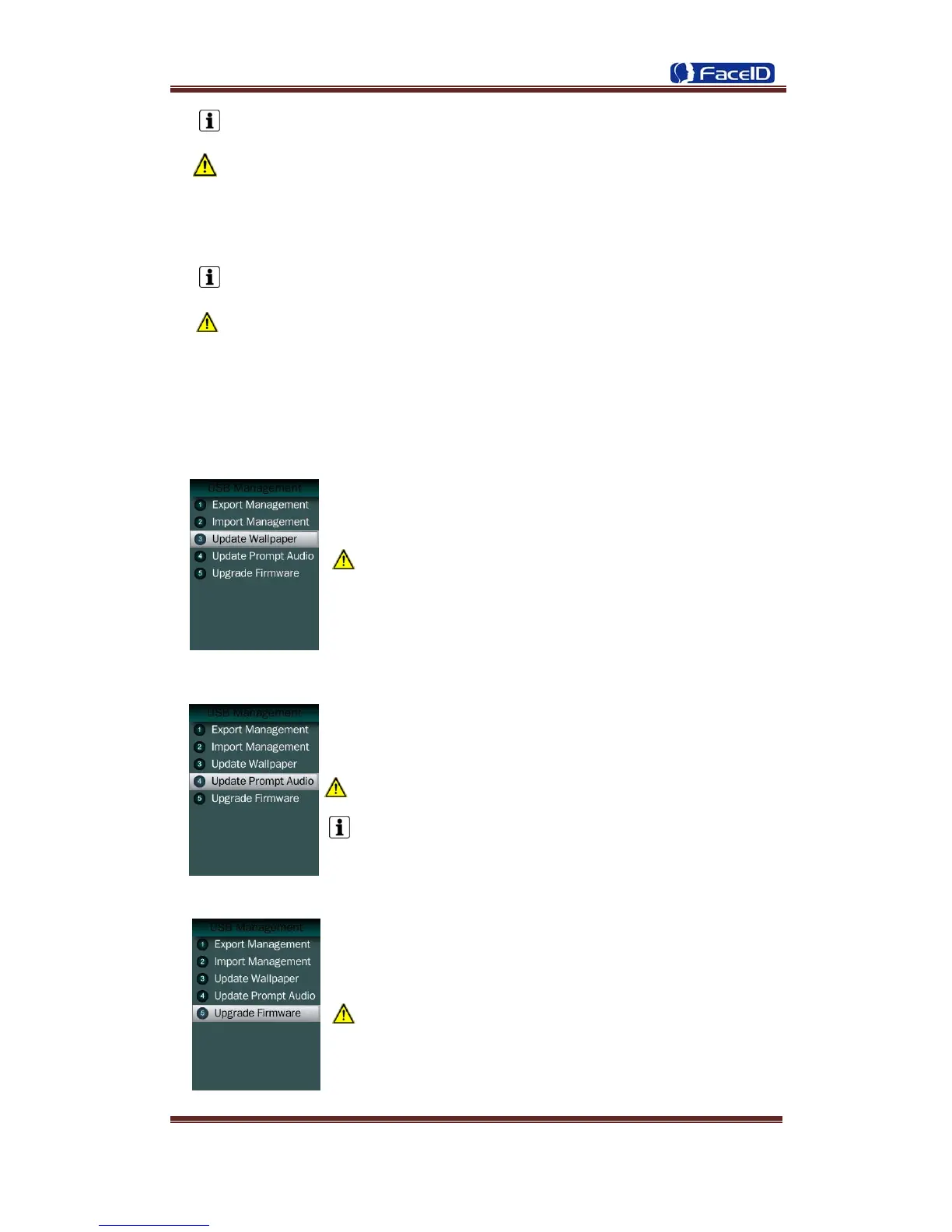
Set Wallpaper
Update the new wallpaper on a terminal.
240 * 320pix BMP/JPG file, and named to <idlepicture.bmp>
or <idlepicture.jpg>.
Set Prompt Audio
Update Successful and Failed prompt audio on a terminal.
PCM, 16000Hz, 16bit, stereo wave file, and named to
<granted.wav> and <deny.wav>
Keep audio length less than 1 second.
Firmware Upgrade
Upgrade a new firmware for a terminal.
Firmware files are <F910.BIN> and <F910.TXT>


 To Next Page