Facina_VKPCCTV_Instructions_Rev01
31
Viewing and Deleting Files
The camera offers the user different options for viewing their
images. You can view images or videos through either on your
computer by provided USB cable or take out SD card to view by
your computer. The status display on front of the housing will
show the number of images stored on the SD memory card.
NOTE: The instructions below are based on starting with
a camera that’s power is turned off (Switch at OFF
position)
Viewing files on your computer via USB connection.
Your camera is a plug and play USB storage device for using of
Win Vista, 7, 8, MAC OS 10.6 or above, or the device supports
MSDC (Mass Storage) mode.
• Make sure the camera’s switch is in the OFF position.
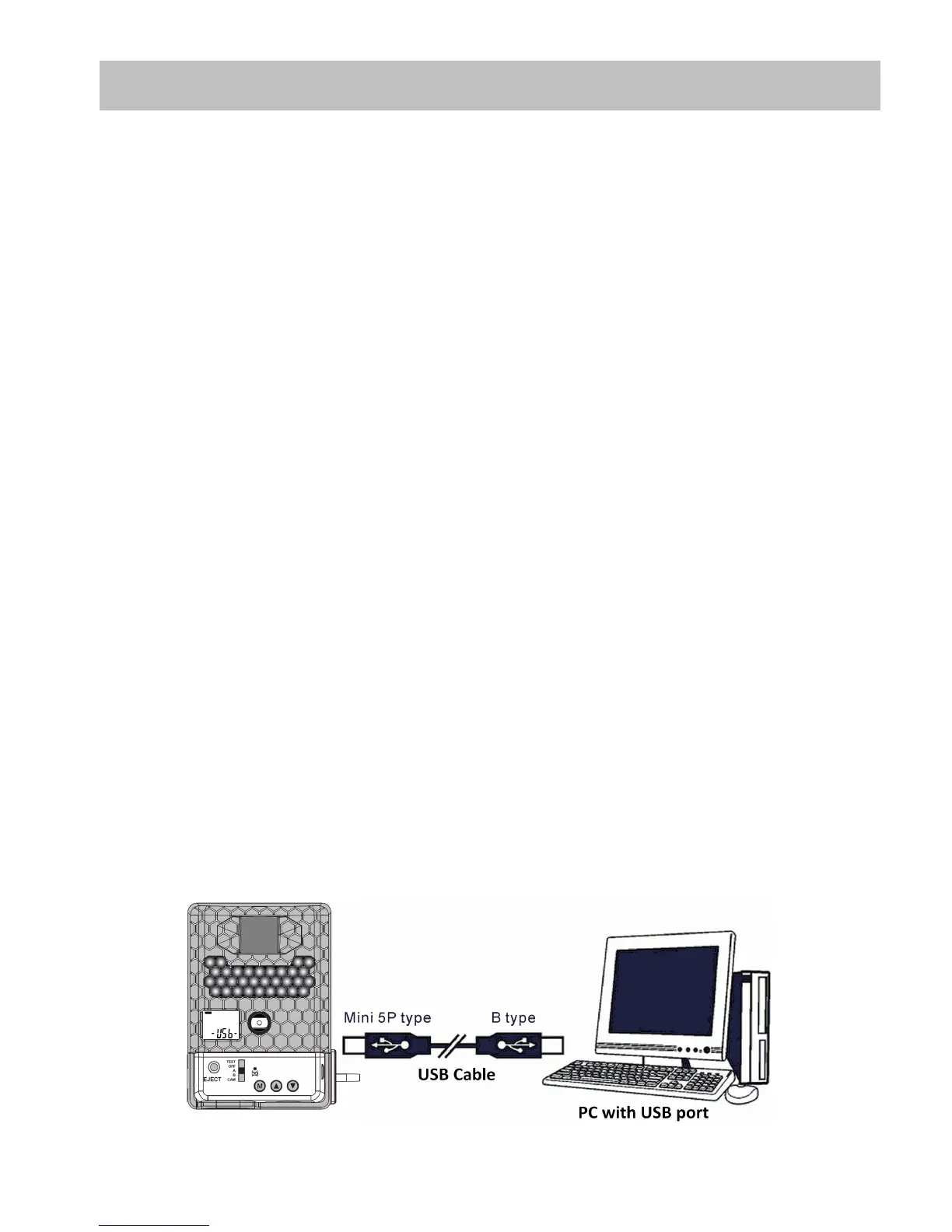
• Plug the larger end of the USB cable into an available USB
port on your computer.
• Plug the smaller end of USB cable into the camera’s USB
port on the bottom of the camera after opening the cover.
• The camera will automatically power ON and display the
word USb on the status display.


 To Next Page