Facina_VKPCCTV_Instructions_Rev01
6
Definitions
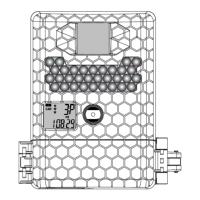
Definitions of Front View parts
• Passive Infrared Sensor: Used to detect the moving infra-
red heat. i.e. people
• Microphone: Can record sound while video recording
• Infrared LED: Invisible light for night time capture
• Status display: Displays the settings and camera status
• Camera Lens: Used to capture the image/video
• EJECT Button: Pressing this button releases the battery
tray to gain access to the batteries to install or replace
(Batteries Not Supplied)
• Slide Switch: To select the different camera modes,
changing the camera status, TEST, OFF, Preset A, B or CAM
• Test / Batt Low Indicator: Indicates the PIR detection
coverage when camera is switched to TEST or indicate the
battery is low
• USB Port: Used to connect the camera to PC by the
provided USB cable for captured image/video download
• [▲]Up and [▼] Down Button: To change the mode and
adjust the setting value when camera is switched to TEST
• SD Card Slot: Used to install the SD memory card, the
camera supports SD memory card up to 32GB
• [M] Menu Button: Used for entering the camera’s menus
or press and hold 2 seconds for exit


 To Next Page