Facina_VKPCCTV_Instructions_Rev01
33
Deleting files in the field
• Slide the switch to the TEST position, the status display
will show the camera current status.
• Press [M] button once to call out the program menu.
• The word PIR or TLS will be blinking, press [DN] until you
see the word TLS in blinking.
• Press [M] button to confirm, camera will go into delete
menu, the word - dEL - will be blinking.
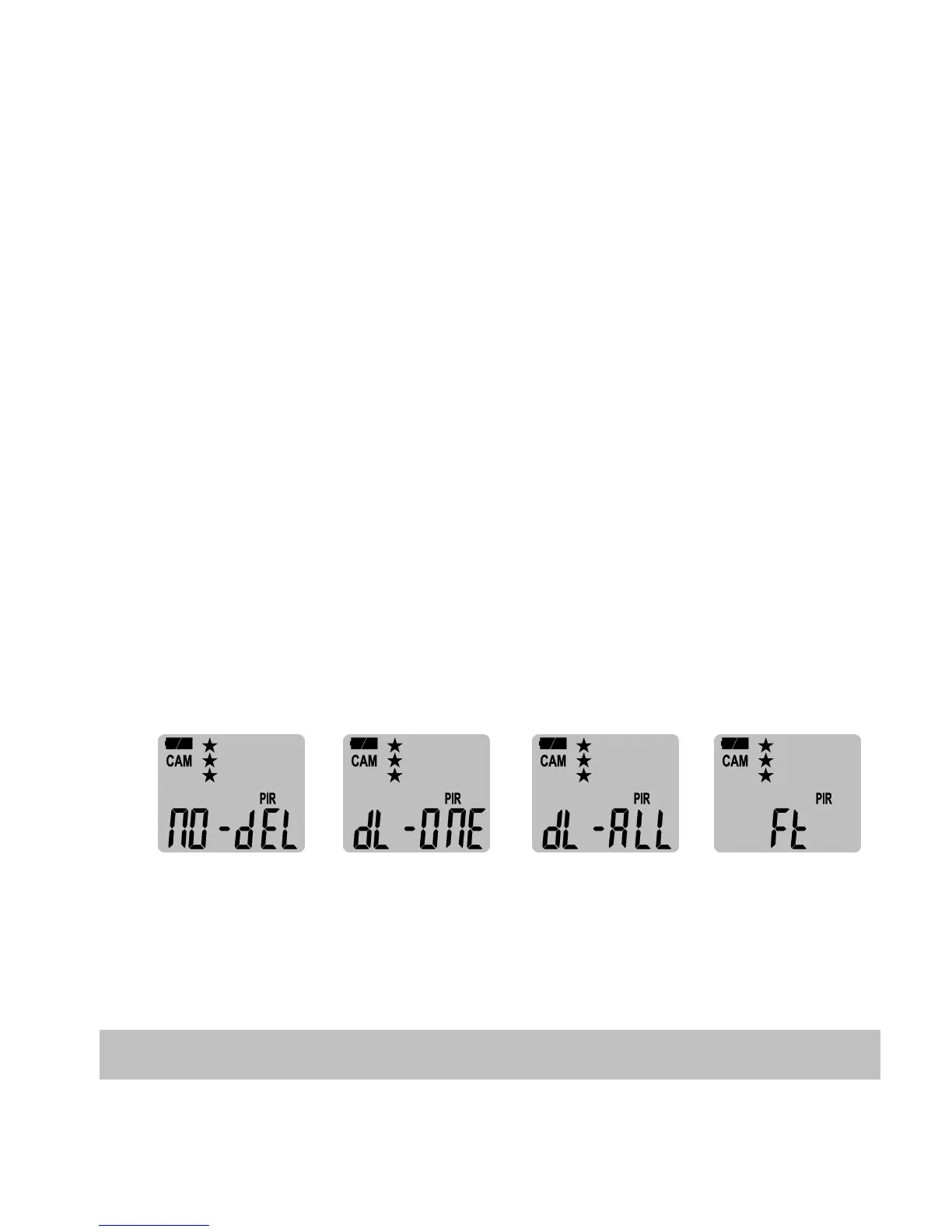
• Press [M] button to enter the NO-dEL (No Delete), dL-
ONE (Delete One), dL-ALL (Delete All) & Ft (FORMAT)
menu.
• Press [UP] or [DN] button to select the desired function.
NO-dEL (No Delete) : No images get deleted.
dL-ONE (Delete One) : Only the last file will get deleted.
dL-ALL (Delete ALL) : Deletes ALL images on the SD card.
Ft (Format) : Deletes all files and reformats the SD card.
• Press [M] to confirm your selection.
• To exit by press and hold [M] button 2 seconds to back to
the status screen, and then slide the switch back to OFF.
Technical Specifications


 To Next Page