Facina_VKPCCTV_Instructions_Rev01
7
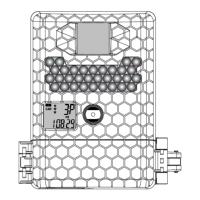
Definitions of Bottom and Side View parts
• Front Cover: To prevent the water ingress, can also be
locked (not supplied) after settings adjustments
• External Power Port Cover: 12V DC external PSU can be
connected (sold separately). Please ensure this seal is
closed tightly if the external power is not used.
• Battery Tray: Container to install 6 AA alkaline battery
• Lock Hole: Attaching a lock to prevent unauthorized
access to settings or theft of SD card
• Tripod Mount: Used to attach the wall mount bracket or
tripod (tripod not supplied)
• Strap Holes: Used to attach the camera to pillar or tree
by the provided mounting strap
• Python Cable Holes: Used to lock the camera to pillar or
tree by Python cable (sold separately)
• Locker: Used to lock the cover in right location
NOTE: Make sure the installed batteries or the external
power is the correct polarity.


 To Next Page