Facina_VKPCCTV_Instructions_Rev01
8
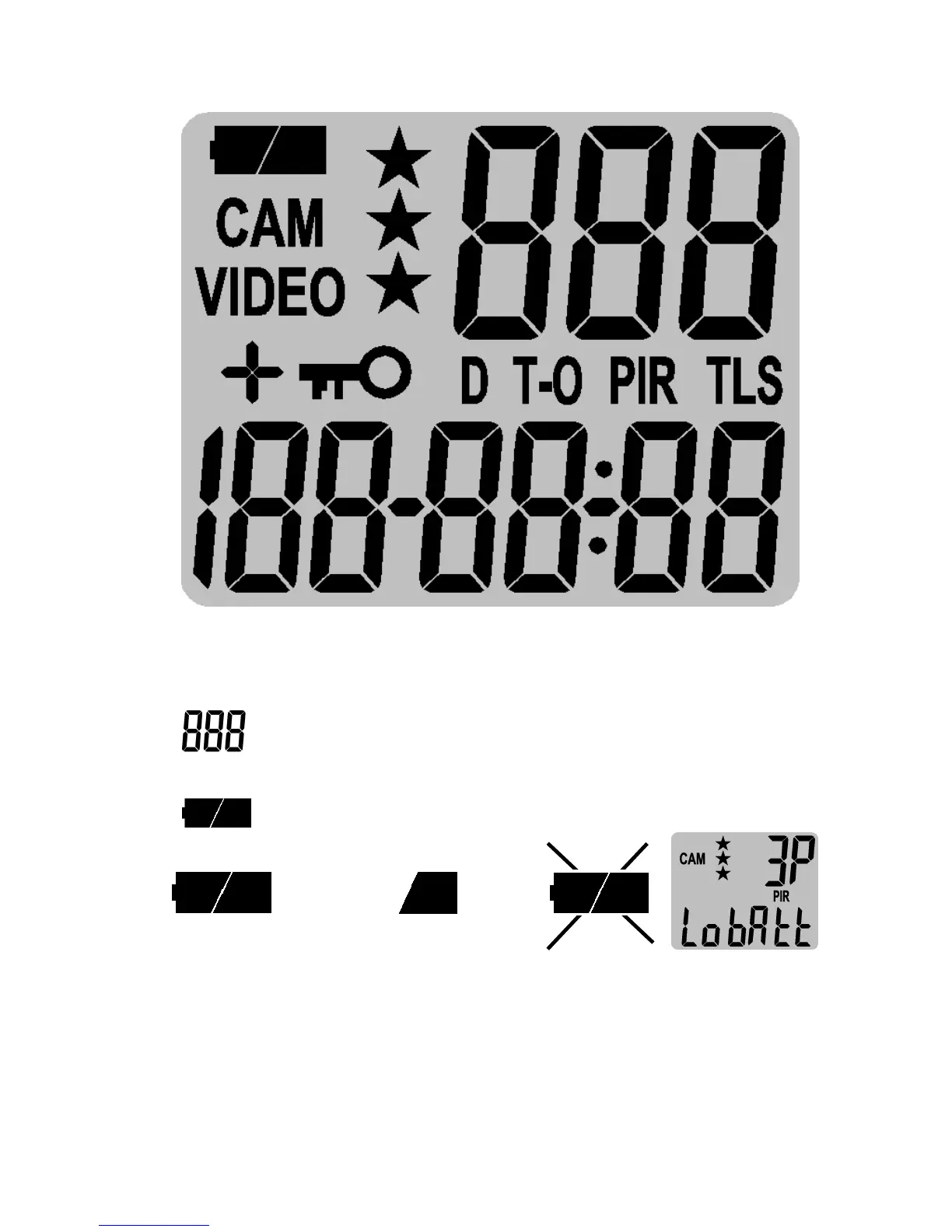
Definitions of Status Display
• CAM: Indicates the camera mode, still image capture
• VIDEO: Indicates the camera mode, video capture
• : Indicates the number of burst capture, and video
recording time
• : It indicates the battery status.
Full (Icon on) Half Low (Icon off)
When batteries are low, the status display will show “Lo
bAtt” and Batt Low (RED, LED) Indicator lights up. Please
replace with new batteries.


 To Next Page