Error solving manual.
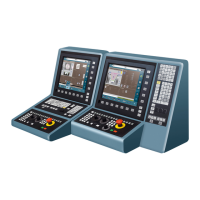
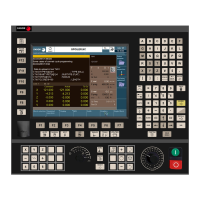
CNC 8060
CNC 8065
·16·
(REF: 1709)
0166 'Jerk limit overshoot'
DETECTION During the execution of a part-program.
CAUSE The axis is exceeding its jerk limit.
SOLUTION Analyze the cases where it occurs and contact your machine manufacturer.
0167 'No RT IT'
DETECTION During CNC operation.
CAUSE The real time interruption does not kick in.
SOLUTION Restart the CNC. If the error persists, contact your supplier.
0168 'LR Overflow'
DETECTION During CNC operation.
CAUSE The position loop time of the Sercos axes exceeds the time allowed.
SOLUTION Adjust parameter LOOPTIME.
0169 'Safety temperature exceeded'
DETECTION During CNC operation.
CAUSE Unit integrity is at risk The CNC checks every minute the unit temperature; if in three
samples in a row the temperature exceeds 60 ºC (140 ºF), the CNC issues this
warning and activates the OVERTEMP mark. The temperature increase may be due
to a failure in the hardware cooling system or to excessive room temperature. This
warning shows the current temperature.
SOLUTION Respect the dimensions recommended for the enclosure minimum distance
recommended between the enclosure walls and the central unit. If necessary, install
fans for cooling the enclosure. If the error persists, turn the CNC off and contact the
Service Department.
0170 'Low battery voltage'
DETECTION During CNC power-up or after a reset.
CAUSE The CNC checks the battery voltage on start-up and at each reset. The battery is
discharged; its useful life cycle has ended.
SOLUTION Contact the manufacturer to replace the battery. When the CNC is turned off, the
battery keeps the necessary data for the CNC (for example, the position values).
0171 'LOOPTIME overflow'
DETECTION In CNCREADY conditions.
CAUSE The real time interruptions exceed the allowed amount of time.
SOLUTION If the error comes up often, it may be necessary to adjust the parameter LOOPTIME.
Analyze the cases where it occurs and contact your machine manufacturer.
0172 'CPU fan stopped'
DETECTION During CNC operation.
CAUSE Unit over-temperature risk The CNC has detected that the CPU fan is stopped.
When the CPU has a fan, during regular operation of the CNC, it monitors and verifies
that the fan is running. This test is run every minute, same as the temperature watch.
SOLUTION If the error persists, contact the Service Department.
0173 '[Start] not allowed due to safety over-temperature'
DETECTION During CNC operation.
CAUSE Every time [START] is pressed, the CNC checks that the room temperature does not
exceed 65 ºC (149 ºF) and, if it does, inhibits the [START] while the error occurs. This
error shows the current temperature.
SOLUTION If the error persists, turn the CNC off and contact the Service Department.
0200 'Failure when requesting a VxD'
DETECTION When reading the battery status.
CAUSE The CNC cannot be connected with VcompciD.
SOLUTION Contact your supplier.


 To Next Page
 Loading...