EasyManua.ls Logo

Fairland IPH100T - Page 8

Default Icon
28 pages
To Next Page IconTo Next Page
To Previous Page IconTo Previous Page
Loading...
5
FOR USER
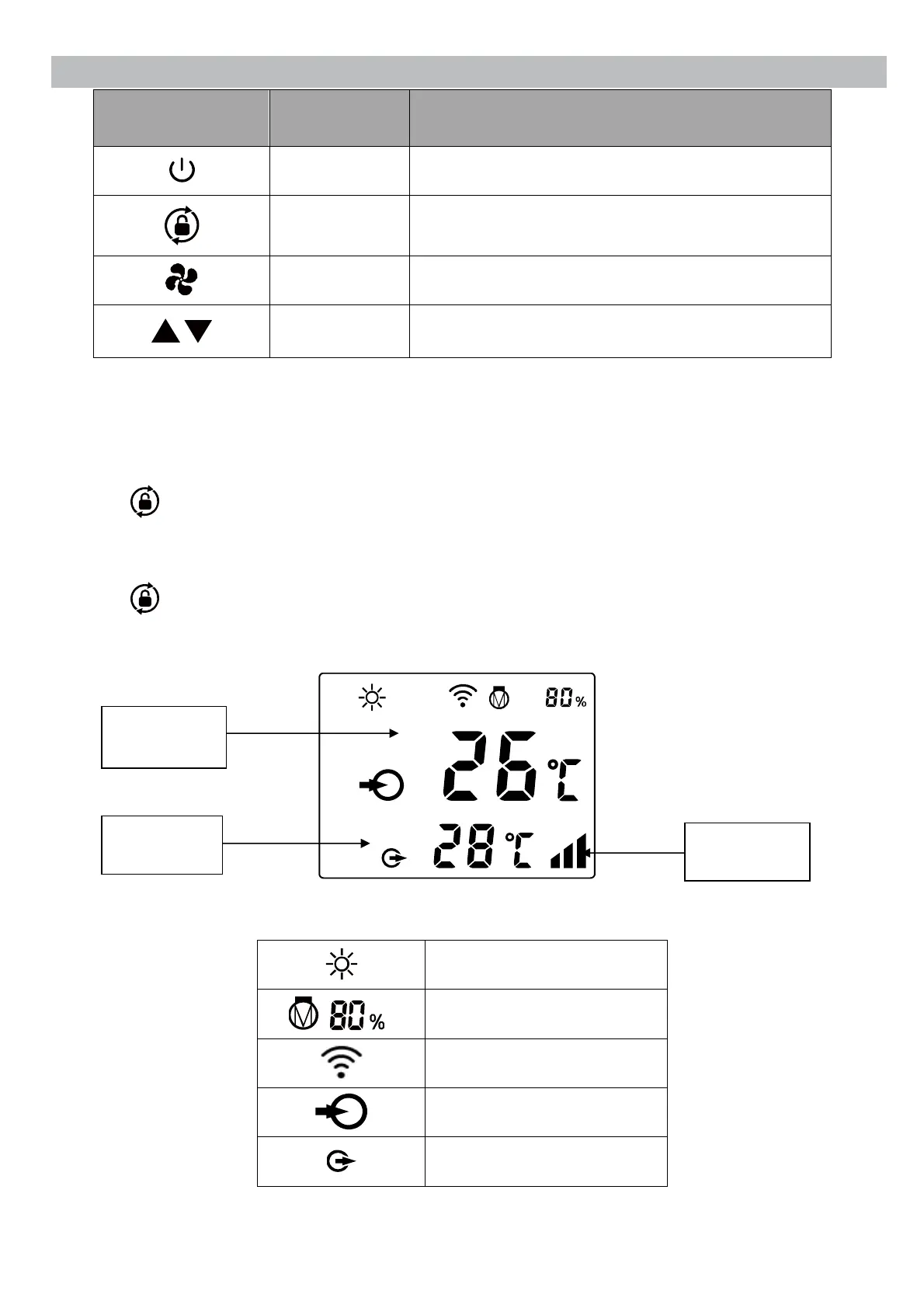
SYMBOL
DESIGNATION
FUNCTION
ON/OFF
1. Power On/Off
2. Wi-Fi setting
Unlock
Press it for 3 seconds to unlock/lock screen
Speed
Select Smart/Silence mode
Up / Down
Adjust set temperature
Note:
Screen lock:
a. If no operation in 30 seconds, screen will be locked.
b. When HP is off, screen will be dark and “0%” will be displayed.
c. Press for 3 seconds to lock screen and it will be dark
Screen unlock:
a. Press for 3 seconds to unlock screen and it will be lit up.
b. Only after screen is unlocked, any other buttons can be functioned.

Heating
Heating capacity percentage
Wi-Fi connection
Water inlet
Water outlet
Water inlet
temperature
Water outlet
temperature
Smart/Silence
mode

Other manuals for Fairland IPH100T

Related product manuals