Push down the “Reset” button for around 10-15 seconds until
the red light changes from blinking slowly to very quickly
and then let the Reset button go. If the reset is done successfully,
you will hear beep. The camera will reboot automatially.
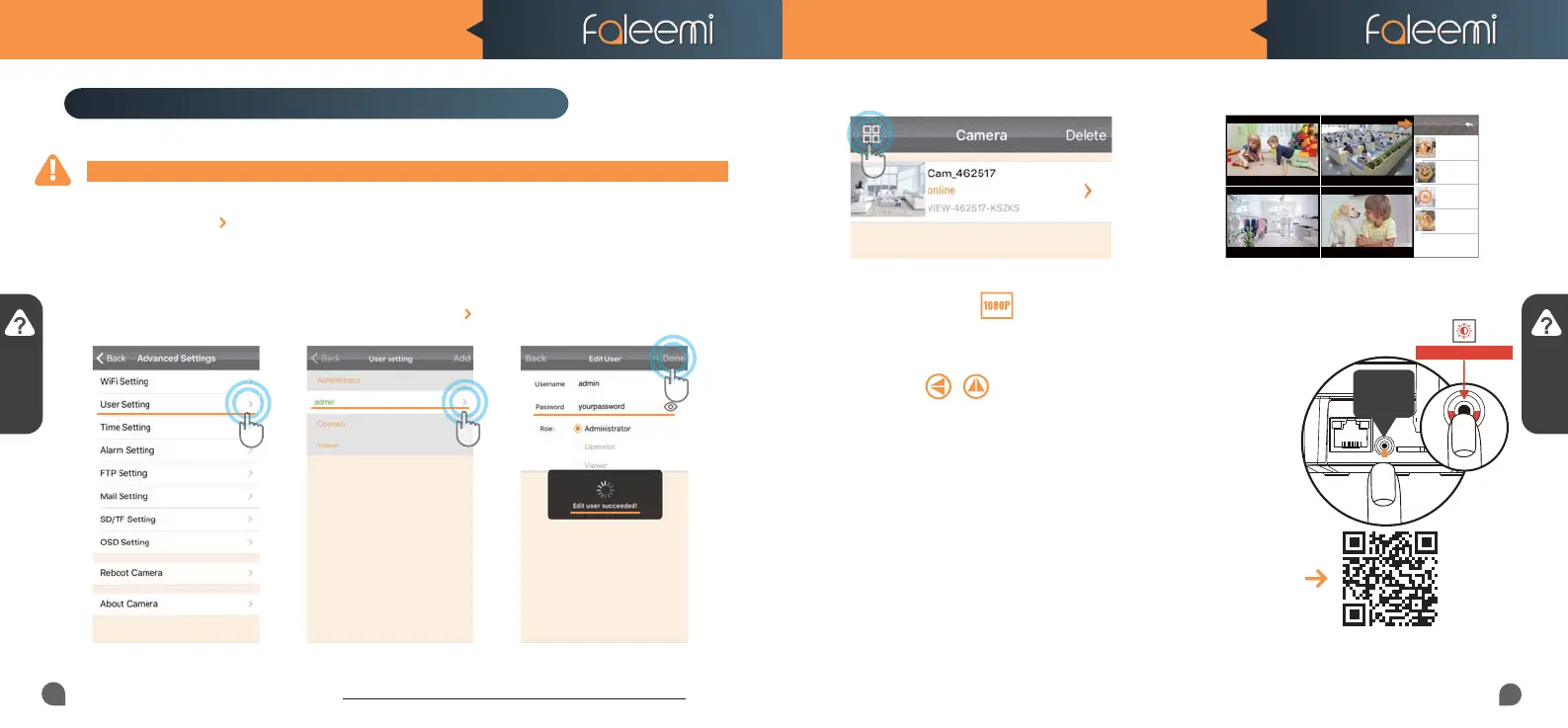
2. Select [admin], Click on [ ].
To ensure the security of your camera, you are suggested to change the default password.
Please follow below steps to do it.
Click on the icon [ ] at the right of the camera and select [Advanced Settings] and next [User
Setting]. Enter your new password and click on [Done] on the top right. Note that once the password
is changed here, it will take effect immediately.
Trouble Shooting Frequently Asked Questions
1. How do I change my camera password?
3. How do I change my video stream resolution?
4. I mounted my camera upside down, how do I flip my camera’s
video stream?
5. How to restore to factory default?
Please visit
http://support.faleemi.com/FSC881/Email_alert.pdf
If there is no the guide for your email server,
please email us support@faleemi.com.
Windows: Please visit https://youtu.be/sEuauwrchbs
Mac: Please visit https://youtu.be/pljGg0l86N8
6. How to set email alert?
7. How to link your camera to your PC/Mac by Faleemi Plus
Click on the icon to change the resolution.
1. Click on the [User Setting].
Record your new password here:
Q & A
Q & A
Scan the
QR Code
to view
3. Enter your new password,
Click on [Done].
Four Cameras
Home
Oce
Store
Pets
Home
online
Playing
VIEW-462517-FHO..
Oce
online
Playing
VIEW-462517-OFF..
Store
online
Playing
VIEW-462517-STO..
Pets
online
Playing
VIEW-462517-FPE..
Home Oce
Store Pets
2.If you have several cameras, please follow below steps to use multi-view function.
Click on to flip and mirror your camera.
Blinking Quickly
WPS/Reset
Button
10S+
FSC881 QUICK START GUIDE FSC881 QUICK START GUIDE
17
18



 To Previous Page