09
10
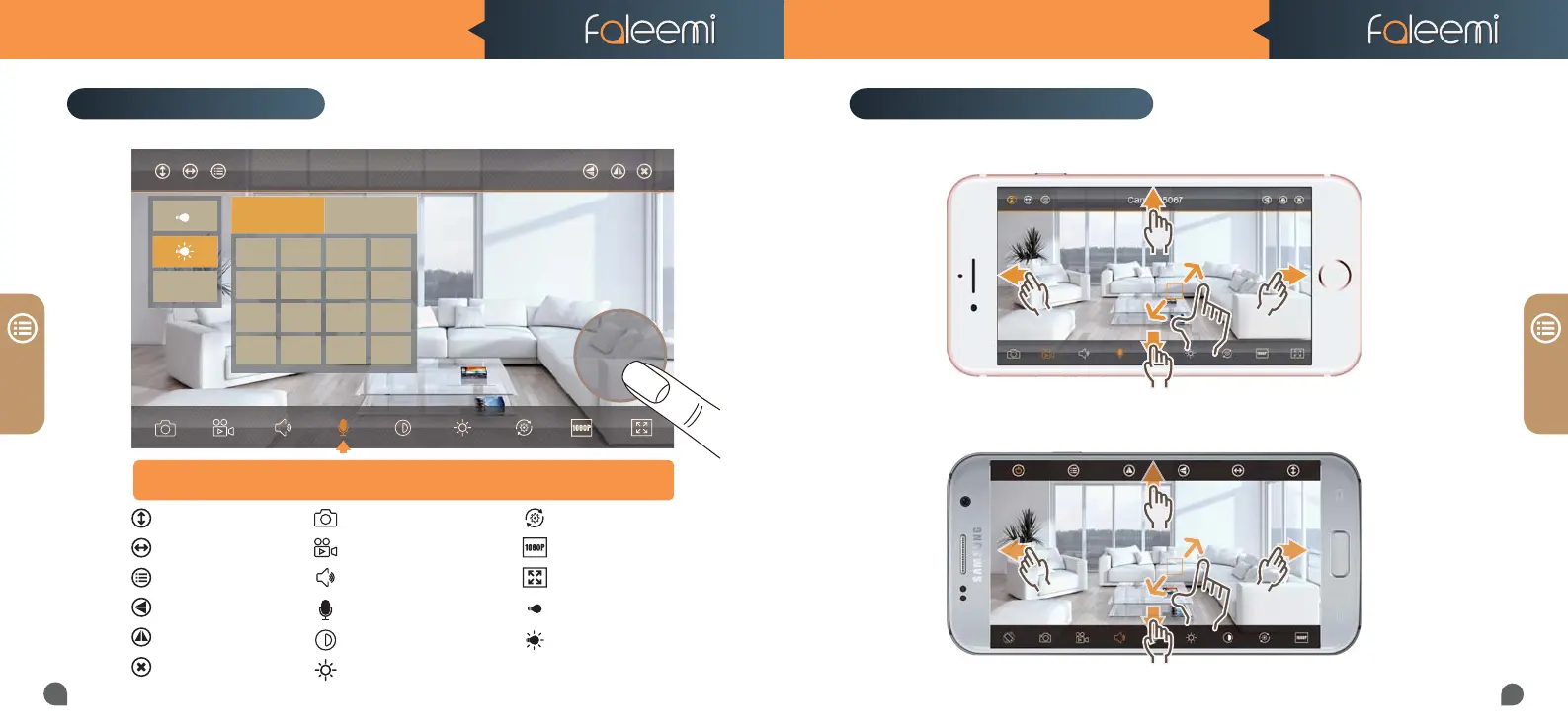
Restore to default
480P/1080P
Contract
IR LED Off
Auto
Set or Call Preset
Cruise Vertically
Cruise Horizontally
Menu
Flip
Mirror
Exit
Faleemi_FSC881
Preset
Call Set
1234
5678
9101112
13 14 15 16
Preset
Live Video Interface
Snapshot to phone
Record video to phone
Audio on/off
Microphone on/off
Contrast
Brightness
iOS
Android
PANEL
PANEL
Hold Talk
Turn on the Microphone; you will see a pop-up button “Hold Talk”, press down
Turn on the Microphone; you will see a pop-up button “Hold Talk”, press down
this button to talk to the people at the camera side.
this button to talk to the people at the camera side.
FSC881 QUICK START GUIDE FSC881 QUICK START GUIDE
Pan / Tilt / Zoom Control



 To Next Page