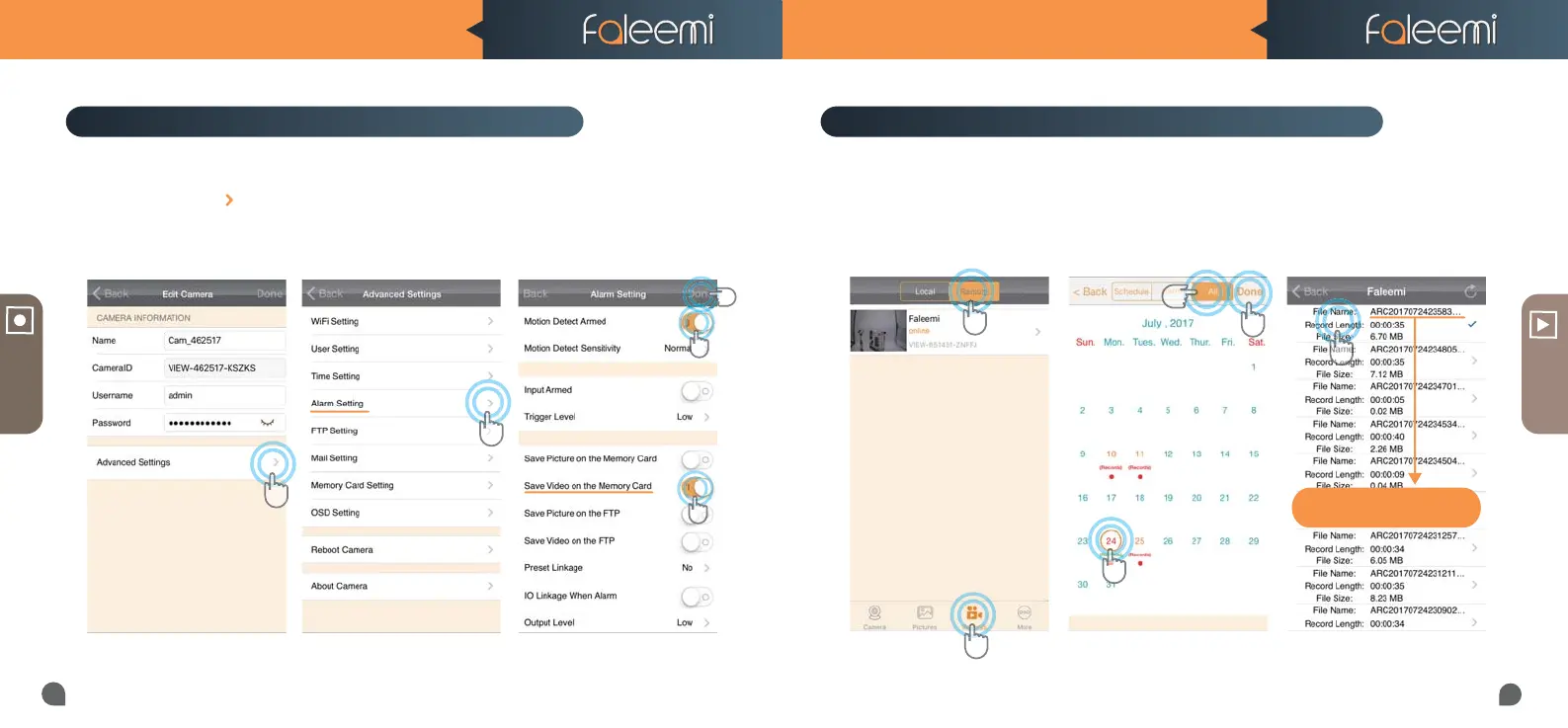
2. Click on [Alarm Setting]1. Click on the icon [ ].
VIEW
1
3
3
2
4
5
6
How to record alarm video to the memory card?
4
5
RECORD
How to view the recorded video on memory card?
ARC 2017-07-24 23:58:30
ARC YEAR-MM-DD-Start Time
Tips:
1
2
FSC881 QUICK START GUIDE FSC881 QUICK START GUIDE
16
15
3. Click on [All], select recording
4. Select Date
5. Click on [Done]
6. Click the file to play the
recorded video
1. Click on [Records],
2. Click on [Remote].
3. Enable [Motion Detect Armed]
4. Enable [Save Video on the
memory card]
5. Click on [Done]



 To Next Page