07
08
SETUP
SETUP
To ensure the security of your camera,
To ensure the security of your camera,
you are suggested to change the default pass-
you are suggested to change the default pass-
word. Please refer to the instruction in Page 17.
word. Please refer to the instruction in Page 17.
Congratulations!
Your camera is connected now
Your camera is connected now
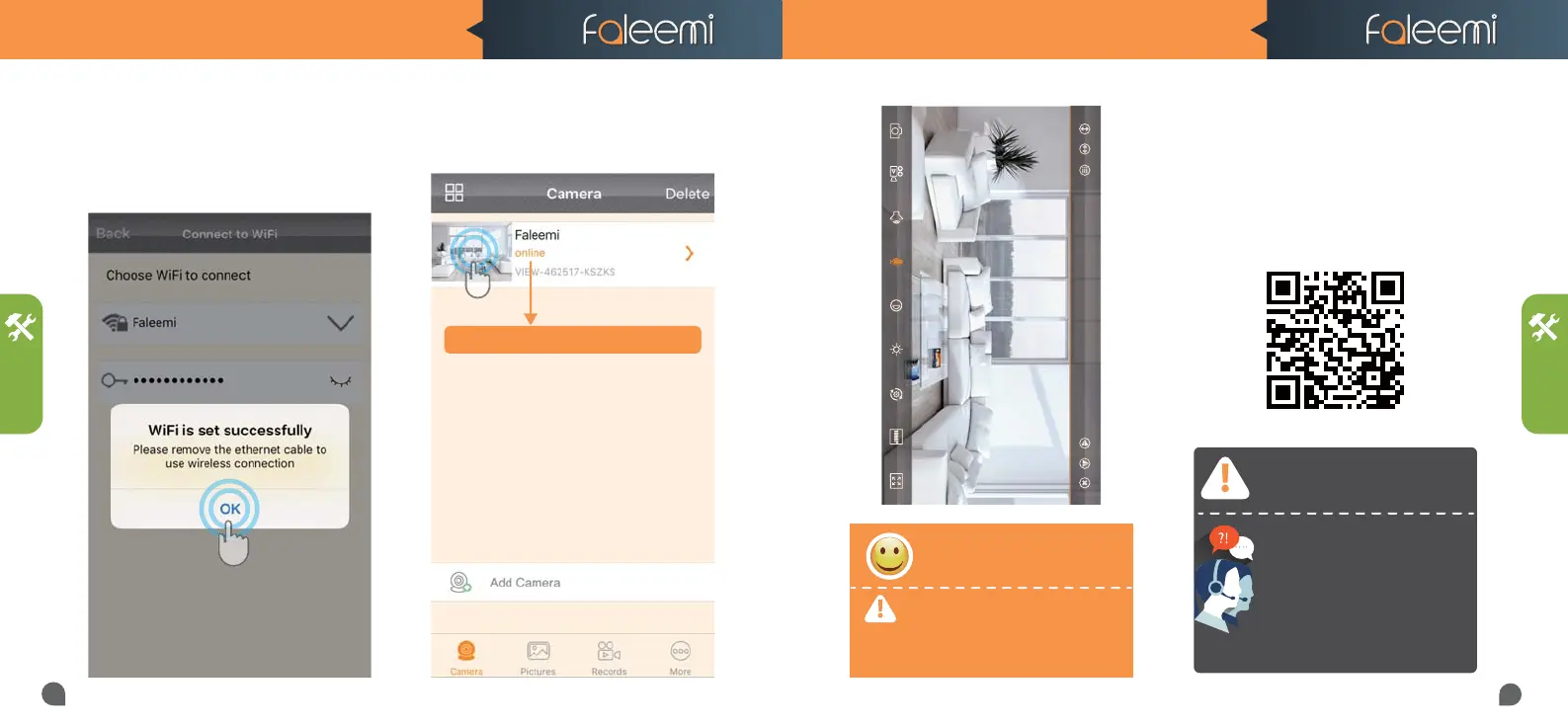
11. Click on the image to start to view &
control.
If you are not able to connect your camera to
your router with ethernet cable, here are the
other 2 wireless connection instructions.
Please visit
http://support.faleemi.com/fsc881/setup2.pdf
You will see it shows the camera online
10. It will show WiFi is set successfully. there
will be 2 beep sound. It means the camera is
connected to your wifi, Click on [OK] ,
please remove the ethernet cable.
FSC881 QUICK START GUIDE FSC881 QUICK START GUIDE
If the setting is failed, please find
below solution or contact us by
Email: support@faleemi.com
Skype: support@faleemi.com
Phone: 213 293 3560
EST: 6am~11am, 8pm-11pm
PST: 6am~8am, 5pm-12pm
When you call us, please wait some more
When you call us, please wait some more
moment until it gets through.
moment until it gets through.
Faleemi_FSC881



 To Next Page