3: Detailed User Interface Features
28
Note: Before performing a ‘Validation’ with the NIST Traceable Reference Tube, it is
recommended that the Falex 430 ETR be first ‘Calibrated’ with the NIST Traceable
Reference Tube, if not previously done so.
To run a ‘Validation’ test,
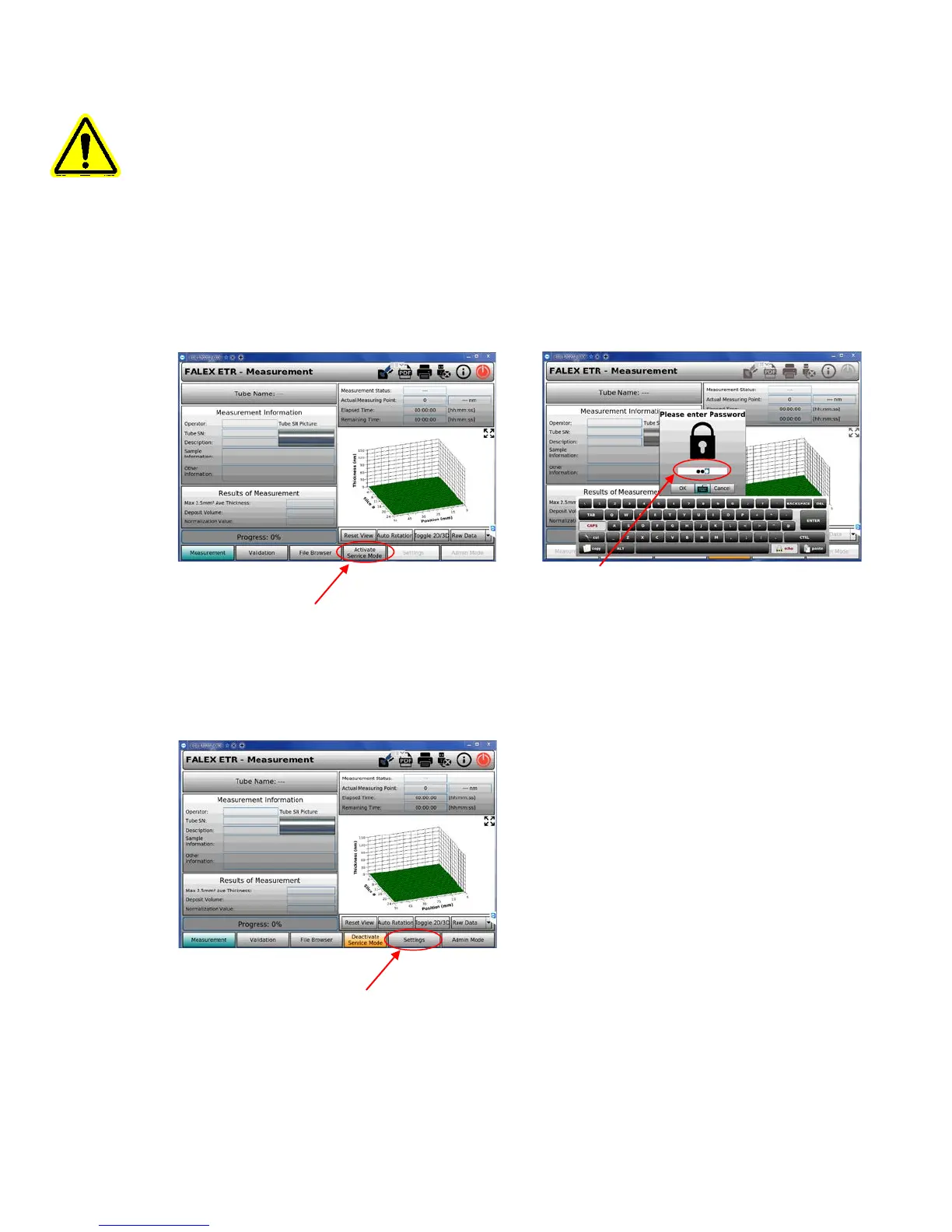
From the ‘Measurement’ screen, press the ‘Activate Service Mode’ tab on the lower toolbar.
Password: Enter ‘ETR’ (all letters capitalized) from the touchscreen keyboard, press ‘OK’ or the
‘Enter’ key. This will activate the ‘grayed’ out tabs on the lower toolbar.
‘ETR’
Go to the ‘Settings’ screen [after tabs on lower tool bar have been activated] by pressing the
‘Settings’ tab on the lower tool bar.


 To Next Page