162236M User Manual GSM Gateway Page 16 of 20
6.1 Firmware upgrade
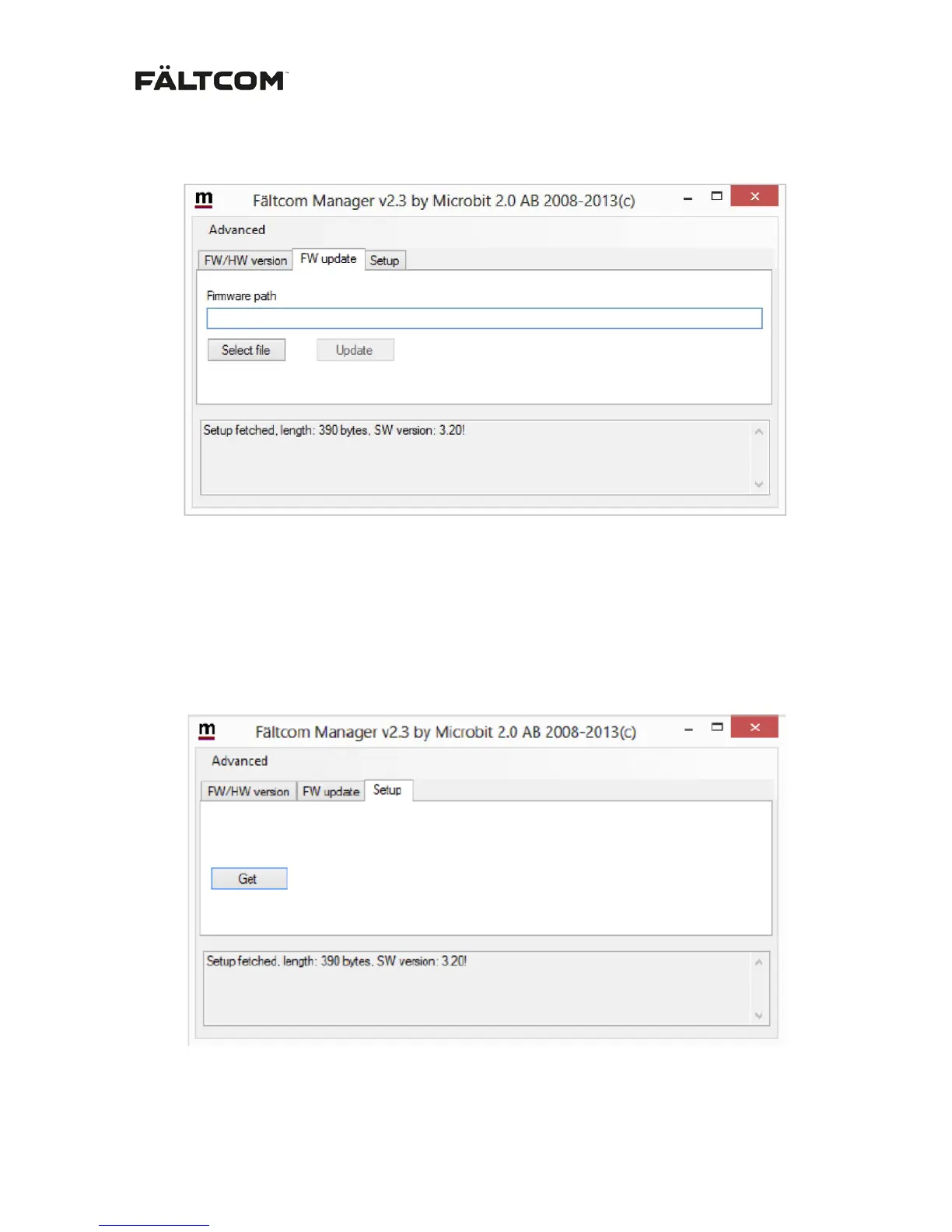
To upgrade the GSM Gateway Firmware select the “FW update” tab.
- Click on “Select file”
- Browse to find and select the new FW file supplied by Fältcom or your local distributor.
Note: The FW file always has the file extension .bin (e.g. gatewayFW.bin).
- Click on “Update”. During the update you can follow the progress in the status bar.
Note: Be careful not to disconnect the power during FW upgrade.
6.2 Setup
For configuration of user specific settings use the “Setup” tab and click on “Get setup”
A new window will appear showing all configurable settings.


 To Next Page