EasyManua.ls Logo

FältCom 252236 - 2 Front Panel Connectors and Indications

FältCom 252236
20 pages
Print Icon
To Next Page IconTo Next Page
To Previous Page IconTo Previous Page
Loading...
162236M User Manual GSM Gateway Page 6 of 20
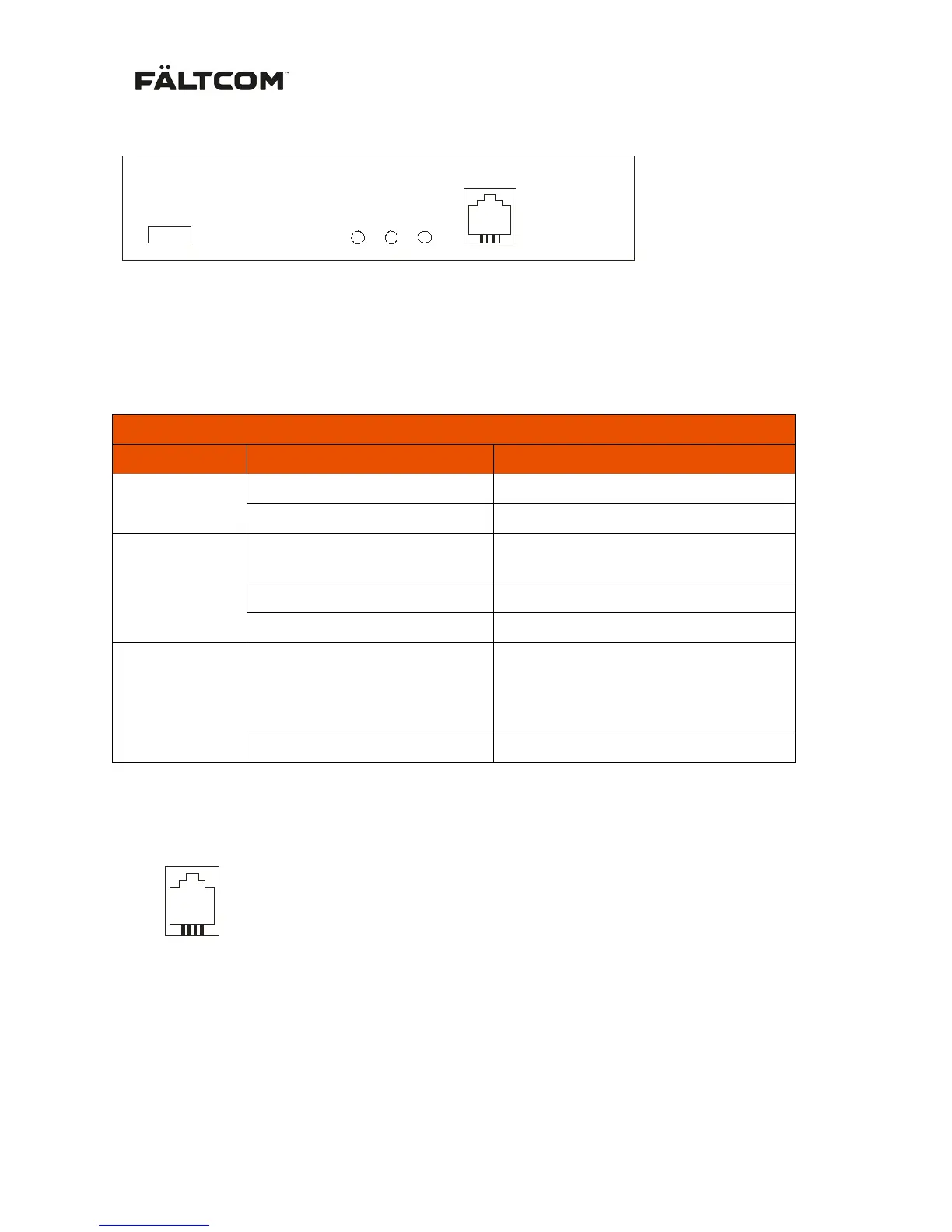
2. Front panel connectors and indications
USB
PHONE
PWR/STAT
BATT
PHONE 1
USB USB 2.0 Mini connector to be used for connection with a PC. The USB can be
used for updating the software of the GSM Gateway and also for adjusting
parameters, such as battery tripping limits. For more information please see
section 5.3
LED Indicators
LED
Status
Indicates
PWR/STAT
1000 ms ON / 1000 ms OFF
Normal status
100 ms ON / 1500 ms OFF
Backup power in use
PHONE
(Red LED)
OFF
Phone device is On-hook (Normal
status)
Flashing
Ringing signal on line
ON
Phone device is Off-hook
BATT
(Red LED)
Flashing
Battery problem. The battery is not
connected or the battery has not
passed a battery test. See also
section 4 nedan.
OFF
Battery state is normal
PHONE Connection to standard telephone device
PHONE 1
1
No
PHONE (RJ11)
1
2
La
3
Lb
4