USB MIDI OUT MIDI IN SUSTAIN AUX OUT AUX IN MIC DC IN
SAVE
REC
01 GrandPno 03 E.Piano 05 E.Piano 3 07 Clavi
02 GrandPn 2
13 RockOrgn 15 Harmnic 17 CleanGtr 19 Strings
11 ChurOrgn
12 ReedOrgn
14 Acordion 16 NylonGtr 18 FngrBa ss 20 SynStrs
04 E.Piano 2 06 Harpsi 08 Vibra
09 PercOrgn
10 DrawOrgn
MIN MAX
VOLUME
21 SweetTrp
22 TenorSax
23 SweetFlu
24 PanFlute
7 8
METRONOME
ACCOMP
0 1 2 3
4
5 6 7 8
TAP
9
TEMPO
1 2 3
4
5 6 7 80 9
STYLE
1 2 3
4
5 6 7 80 9
SONG
0 1 2 3
4
5 6
MIDI
LOFF R
MELODY OFFEQ DUET HARMONY
ON/OFFTYPE ROOT
REVERB CHORUS
BEEP TOUCH TUNE OCTAVE SCALEPEDAL
RESONANCE
9
VOCALON/OFF
Setup
This section contains information about setting up your instrument
and preparing to play. Please go through this section carefully
before turning the power on.
Setting a Music Stand
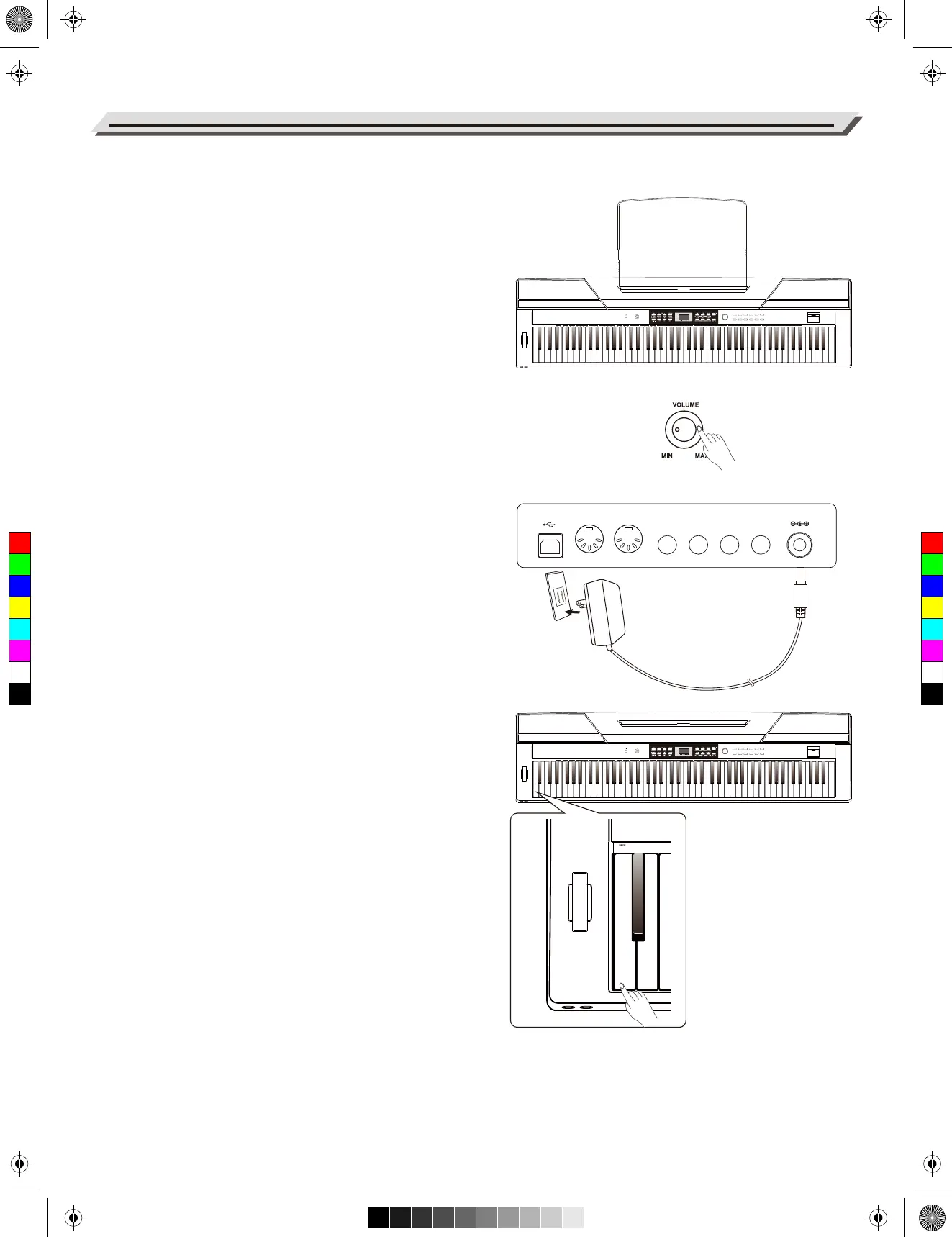
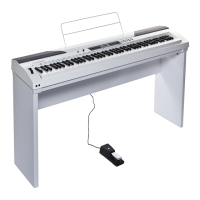
Follow the images on the right, and install the music stand correctly.
A music stand is supplied with the keyboard. You can easily attach
it to the instrument by inserting it into the slots at the rear of the
panel.
Power Supply
1. Make sure that the piano is turned off. Before you switch your
piano on or off, turn down the volume of piano and any
connected audio equipments first.
2. Connect the AC adaptor to the power supply jack of this piano.
3. Plug the AC adaptor into an AC outlet.
4. Press the POWER switch, the nixie tube displays“0.01”, which
indicates the piano is power on.
5. If you are ready to turn off the piano, please long press the
POWER switch.
Note:
1. In order to save energy, we have designed the “Automatic
Shutdown” function to the piano. With this function, the keyboard
will automatically shutdown in 30 minutes later if you do not take
any action on the piano. If you don’t need this feature, just press
and hold the [A0] key (the 1st key) and turn it on.
2. When the piano is not in use or during thunderstorm, please
disconnect the power for safety purpose.
06
ACCOMP
0 1 2 3
4
5 6 7 8
TAP
9
TEMPO
1 2 3
4
5 6 7 80 9
STYLE
1 2 3
4
5 6 7 80 9
SONG
0 1
7 8
4
5 6 7 8 9
SONG
0 1 2 3
4
5 6
MIDI
9
7 8
4
5 6 7 8 9
STYLE
1 2 3
4
5 6 7 80 9
SONG
0 1 2 3
4
5 6
MIDI
9
SAVE
REC
01 GrandPno 03 E.Piano 05 E.Piano 3 07 Clavi
02 GrandPn 2
13 RockOrgn 15 Harmnic 17 CleanGtr 19 Strings
11 ChurOrgn
12 ReedOrgn
14 Acordion 16 NylonGtr 18 FngrBa ss 20 SynStrs
04 E.Piano 2 06 Harpsi 08 Vibra
09 PercOrgn
10 DrawOrgn
MIN MAX
VOLUME
21 SweetTrp
22 TenorSax
23 SweetFlu
24 PanFlute
7 8
METRONOME
ACCOMP
0 1 2 3
4
5 6 7 8
TAP
9
TEMPO
1 2 3
4
5 6 7 80 9
STYLE
1 2 3
4
5 6 7 80 9
SONG
0 1 2 3
4
5 6
MIDI
LOFF R
MELODY OFFEQ DUET HARMONY
ON/OFFTYPE ROOT
REVERB CHORUS
BEEP TOUCH TUNE OCTAVE SCALEPEDAL
RESONANCE
9
VOCALON/OFF
C
M
Y
CM
MY
CY
CMY
K
aw_SP5300_Manual_G03_170426.pdf 6 17/4/26 10:16


 To Next Page