System Setup
How to Recongure
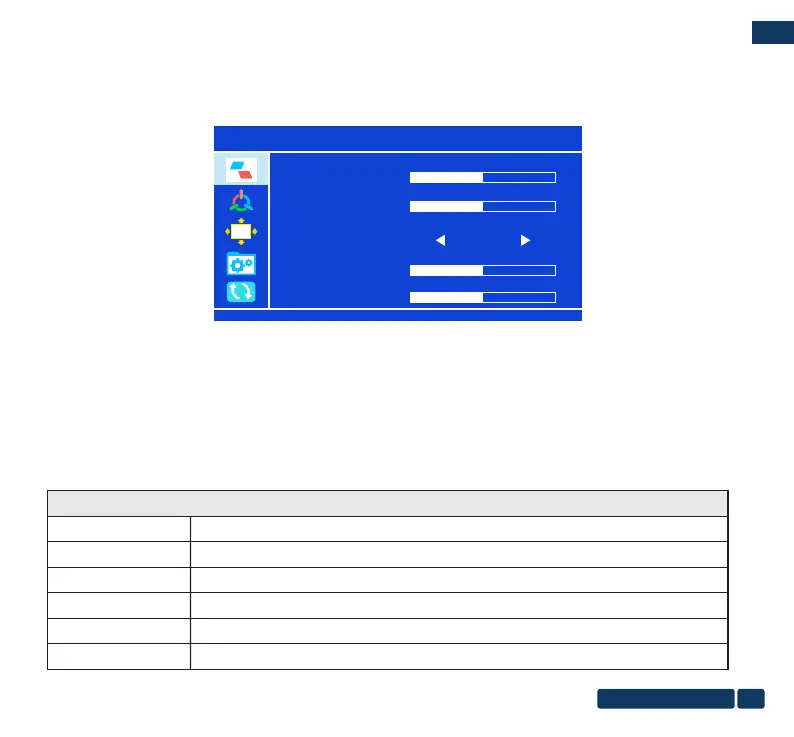
DISPLAY SETTING , Color temp., OSD setting, Signal Source, Information
1. Press the “MENU” button to display the setup menu.
2. Press the up and down button to move, Press OK button to enter the next settings, option names will be displayed in
BLUE, Press Back button to return to the previous level of the setting interface.
3. After the setting is completed, click the OK button to save settings. And click Back button to return to the previous
setting menu/exit the setting.
OSD
50
BRIGHTNESS
50
2
50
STANDARD
CONTRAST
ECO
SHARPNESS
HUE
OSD(On-Screen Display) Function Introduction
DISPLAY SETTING
BRIGHTNESS
The adjusting range is from 0 to 100.
CONTRAST
Select STANDARD, TEXT, GAME, MOVIE, FPS, RTS.
ECO
SHARPNESS
HUE
SATURATION
The adjusting range is from 0 to 4.
The adjusting range is from 0 to 100.
The adjusting range is from 0 to 100.
The adjusting range is from 0 to 100.
EN
us-pc@fangor.cn
11
EN
DISPLAY SETTING


 To Next Page