ENGLISH
35 / 48
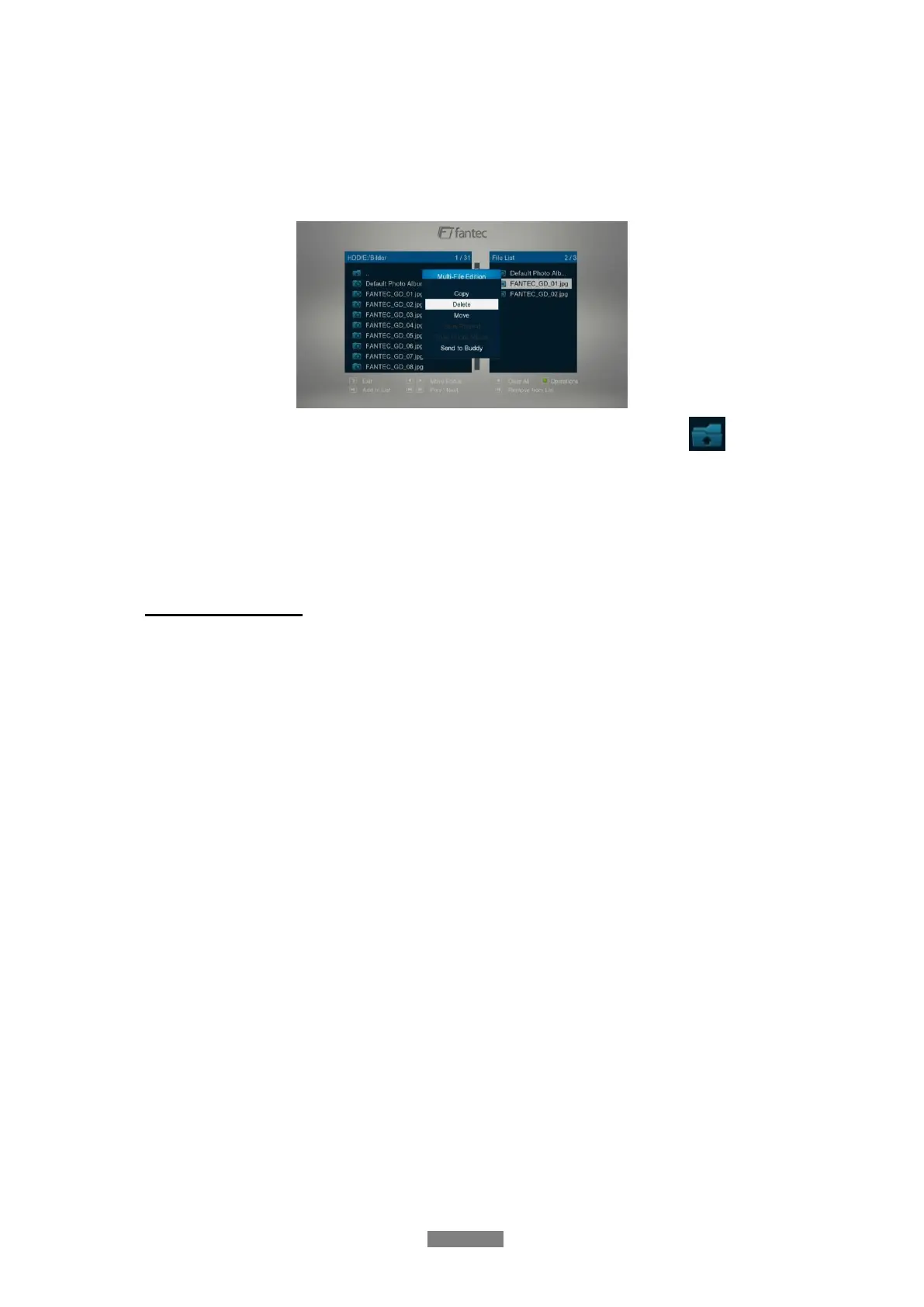
3.8.2 Delete under File Manager
To start the Delete function, please enter the HDD via File Manger. The press the green
button on the remote control and select Multiple Select option. In the file explorer you can
navigate by Up/Down/Left/Right/Next/Prev button and add or delete files to the File List by
the Play/Pause button.
In order to switch between different folders, please select the upper folder icon:
To start the Delete procedure, please press the the green button and select Delete.
Note: If you want to delete a single file, just press the green button and then Delete to start
the delete procedure.
3.9 Internet Media
This feature is additional function. All contents and services under this feature are provided by
third-party service providers, our company does not offer any contents and services of this
feature and it not responsible for any contents and services provided under this feature. Our
company is not responsible for any operational stability of the contents and services, for
example, if you cannot access certain web site for video streaming or news broadcast, or the
content of a web site has been changed etc, are all responsible and control by the third-party
service providers. If you find that these features cannot operate properly, please contact our
customer service or visit our company website to obtain the relevant information.
3.9.1 DLNA DMR
This player can work as a Digital Media Renderer bridge. It can play content received from a
digital media controller (DMC), stored on a digital media server (DMS). With it, you can
seamless stream multimedia content to your TV.
Step 1: Enter into Setup Newtwork menu and turn DLNA DMR and DMS to ON.
Step 2: Install a digital media controller on your device (iPhone/iPod/iPad/ Android phone) and
connect your device to the same network like the player. There are several DMC applications
available (e.g. iMediaShare or AirFun).
Step 3: Run iMediaShare select the media content stored on your device or other UPnP
server, even media from internetthen select a digital media renderer, and then you can
watch the media on your TV. Except the media stored on your device, you also can select
media form internet, like Picasa, Facebook or YouTube.



 To Next Page