ENGLISH
9 / 48
1.4.6 Connecting to a wireless network
(1) Make sure the player is powered on;
(2) Plug the Wireless LAN USB Adapter (i.e. Wi-Fi USB Dongle) to the USB HOST port of the
player.
Note: The Wi-Fi Dongle is an optional accessory sold separately. (Please refer to ‘3.1.4
Changing Network Settings’ for more details about wireless setup)
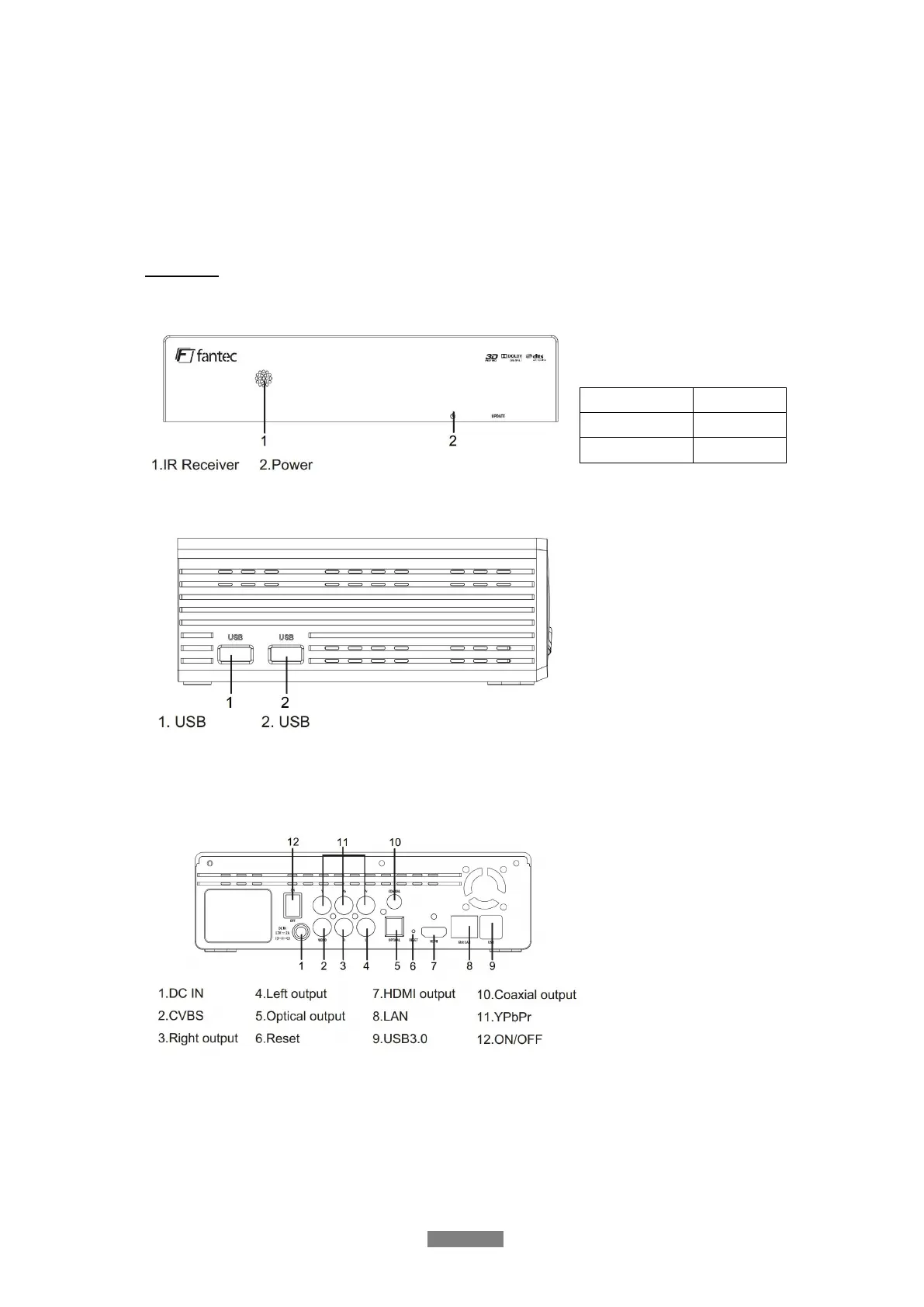
1.5 View
1. USB 2.0 HOST port
2. USB 2.0 HOST port
1. Power input
2. A/V OUT jack (picture)
3. A/V OUT jack (sound)
4. A/V OUT jack (sound)
5. S/PDIF Optical jack
6. Reset
7. HDMI1.4 jack
8. Gigabit LAN socket
9. USB3.0 to PC
10. S/PDIF electrical jack
11. YPbPr (Component)
12. On/Off



 To Next Page