51
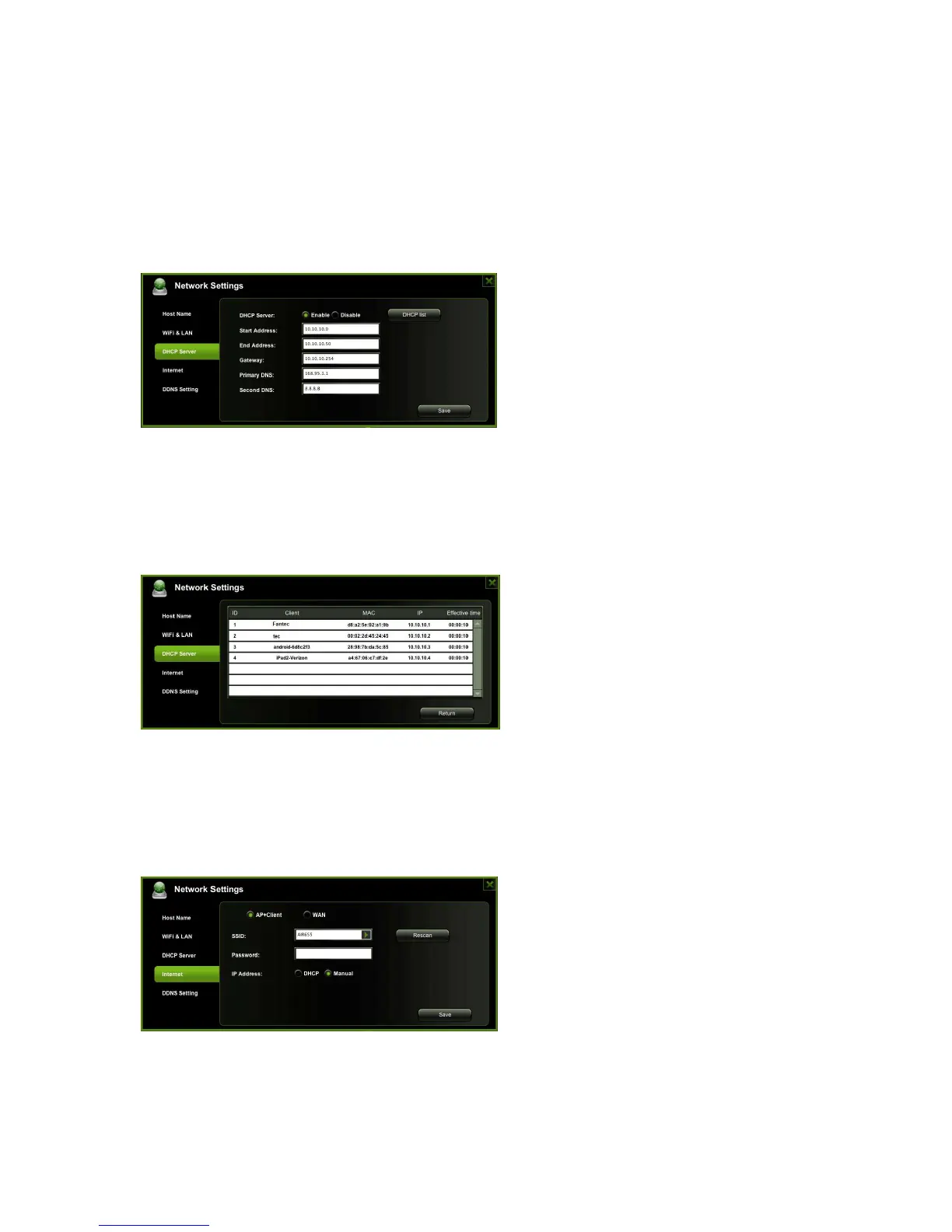
8.3.3.3. DHCP Server
The DHCP or Dynamic Host Configuration Protocol is a network protocol that enables a
server to automatically assign an IP address to a computer connected to a network. By
default, the DHCP Server option is enabled. This option can be disabled if needed and
the IP address can be assigned manually.
Click on the “Save” button after the changes are done. Click on the “X” to exit and cancel.
Click on the “DHCP List” button and it will provide a list of all the computers and devices
connected to your WiFi HDD Device. Please see the screenshot below.
8.3.3.4. Internet Settings
There are two available Internet Access options
A. Wireless Access (AP) + Client. Connect the WiFi Docking Station to another
wireless device to have the internet access.
B. Wired Access. Directly connect the WiFi Docking Station to a RJ45 port of a router.



 To Next Page